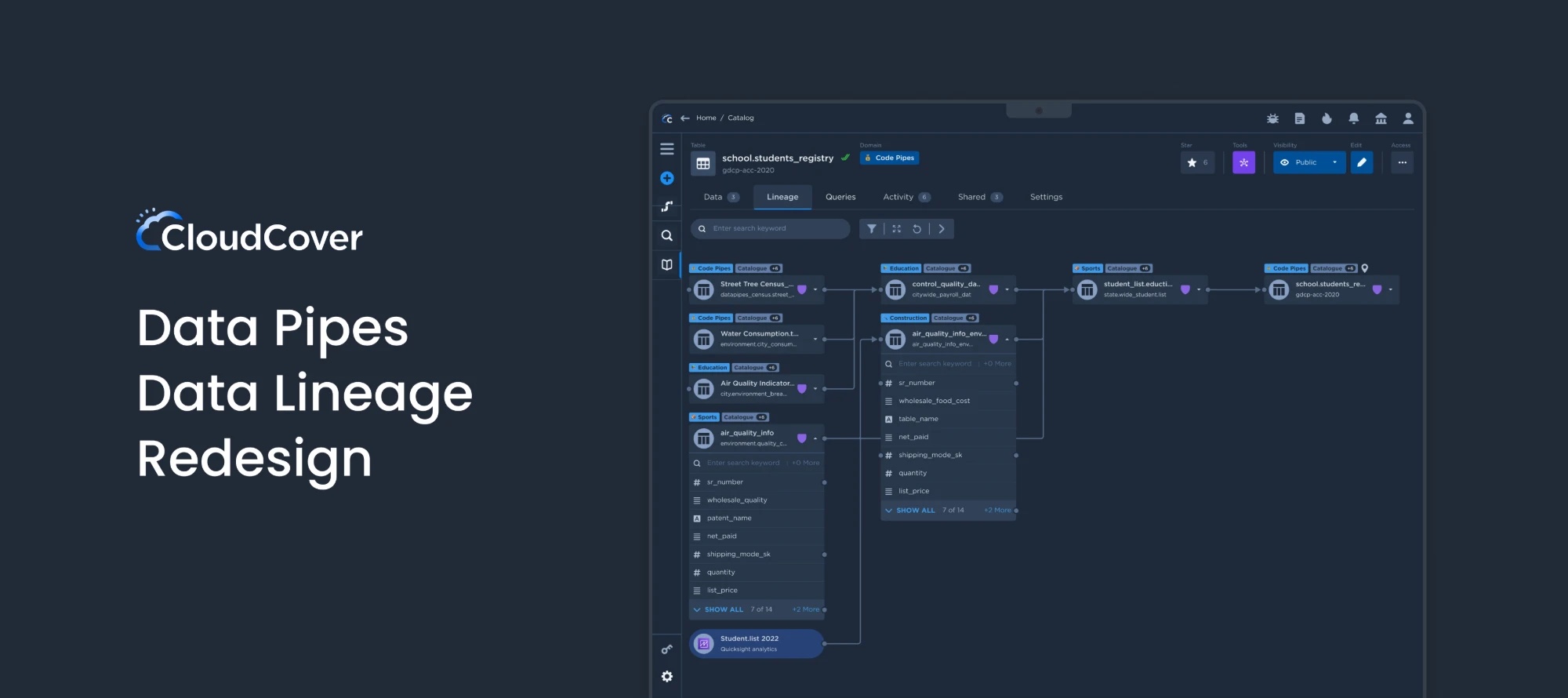
CloudCover — Data Lineage Redesign
Overview
Data lineage tracks how data moves through an organisation, from its origin through every transformation to its destination. I redesigned the lineage in CloudCover's Data Pipes so data teams can trace any table or column at a glance. As the sole UX designer, I owned the research, interaction and visual design end to end.
- Sole UX Designer
- LDH, Architect, Developer & me
- Laptop / Desktop Web
- Figma / Jira / Google Docs
Context
Why does CloudCover need a lineage revamp?
CloudCover specialises in cloud consulting, implementation and management services. It provides end-to-end cloud solutions, including strategy and planning, migration, cloud-native development, DevOps and managed services, helping businesses gain scalability, flexibility and cost savings.
The company set ambitious goals to deliver a superior experience and an industry-leading presence. A revamp of the Web Data Lineage UI was a critical part of that roadmap.
Problem
The design challenge: Lineage Web 1.0
Data Pipes already had a lineage. Using it myself and watching others use it surfaced six issues that made tracing data harder than it should be.
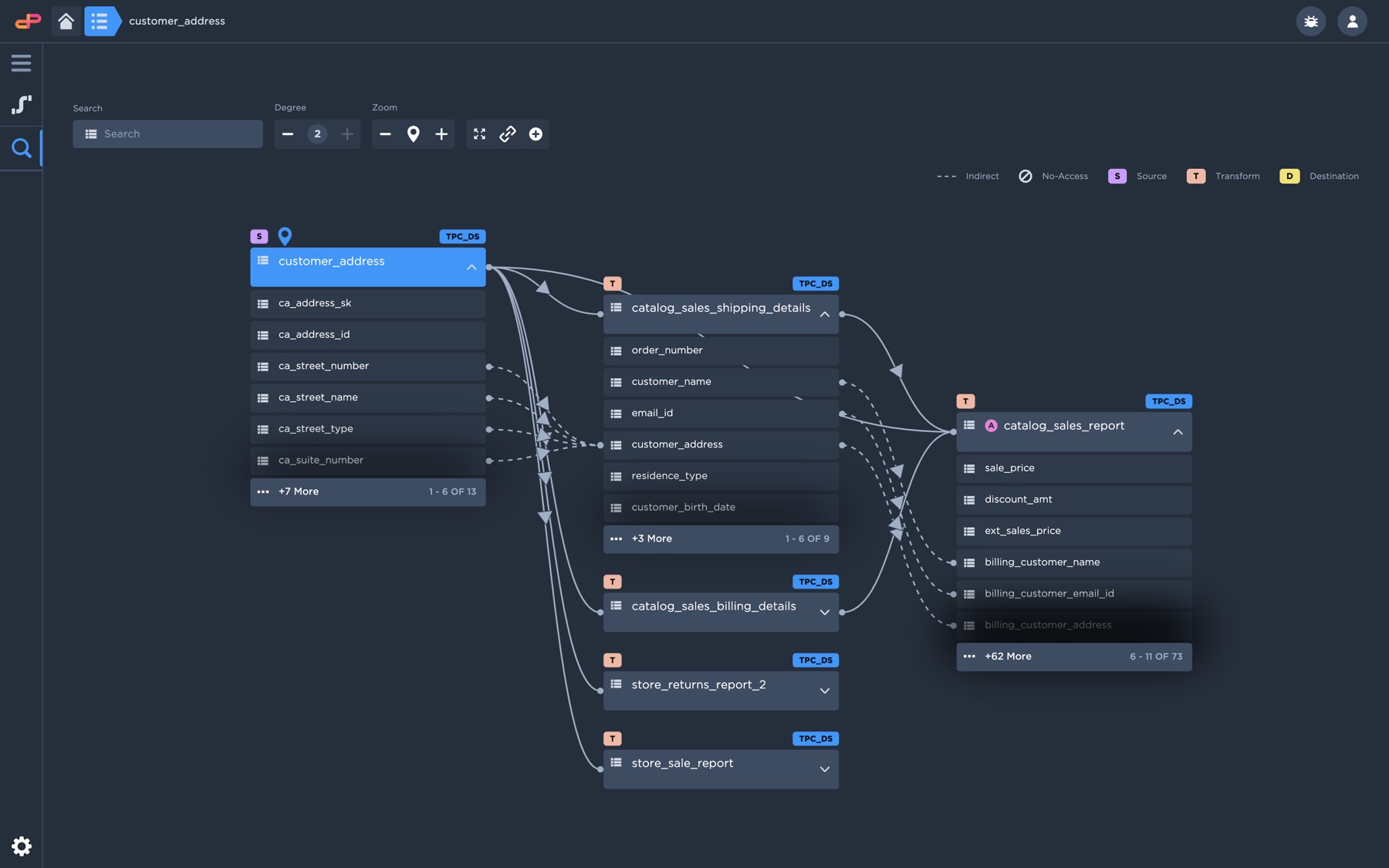
Web 1.0 — table lineage
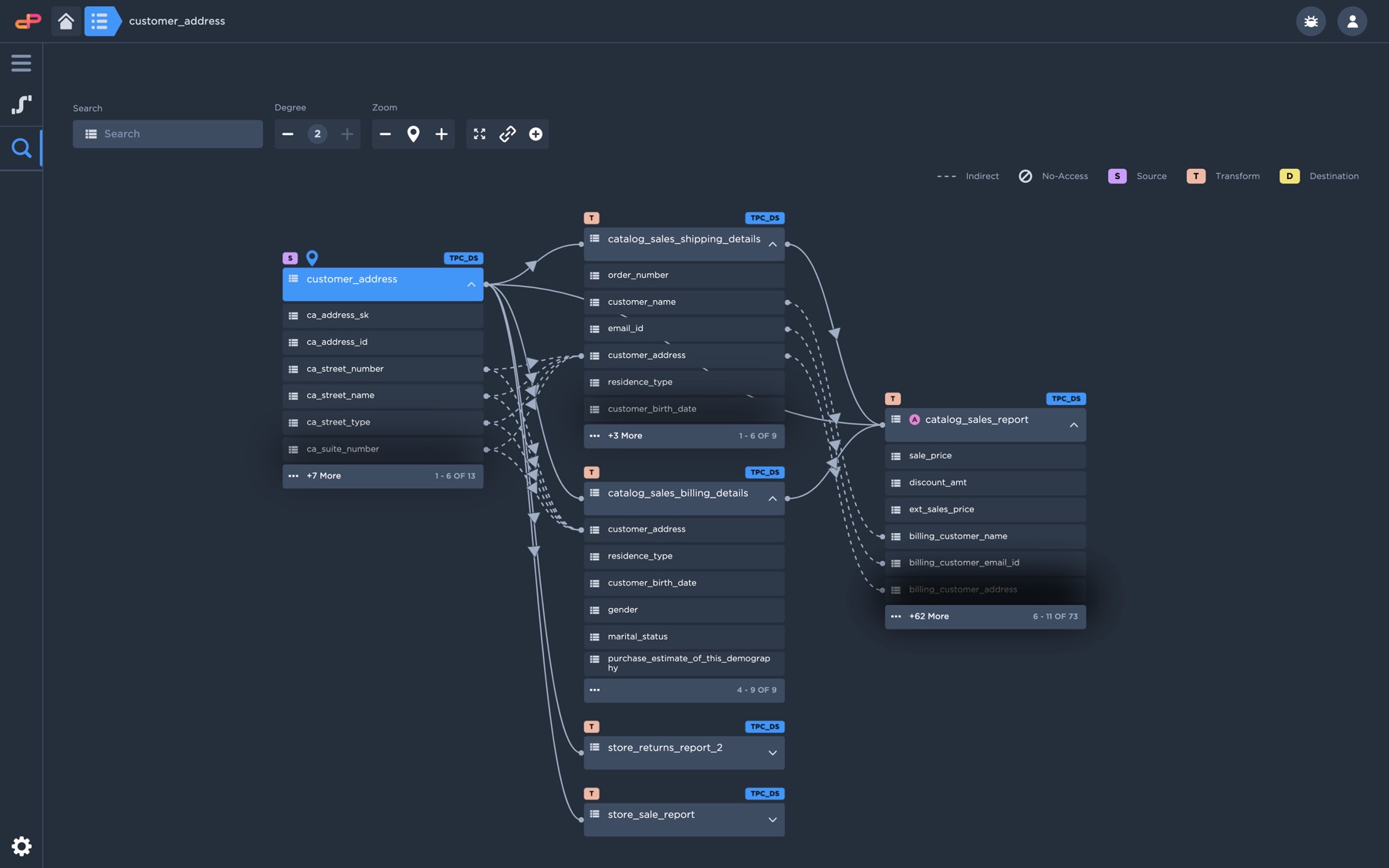
Web 1.0 — column lineage
Poor display of information
Key details about tables and columns were hard to read at a glance.
Tangled connection lines
Lines between tables and columns made the information difficult to comprehend and digest.
Unsatisfying search
The search functionality and its results didn't help users find what they needed.
Tables look like columns
All icons in the list looked similar, so tables and columns were hard to tell apart.
Inconsistent design system
Components and patterns weren't applied consistently across the lineage.
Unmet user needs
Overall, the design didn't support the jobs its users came to do.
Research
Who uses lineage, and what do they need?
What I asked users
- What is the objective of the data lineage we are developing?
- Who is the target audience for the tool?
- Does the existing tool effectively cater to users’ needs? Can they execute the primary function with ease?
What I learned
- Lineage is used to track the movement of data: its origin, transformation and destination.
- It serves many roles (data analysts, stewards, engineers, compliance officers and IT) for governance, compliance, data quality and decision-making.
- The concept wasn’t fully realised yet, leaving ample room to improve usability and visualisation.
- New features were needed, but the 1.0 design couldn’t expand to accommodate them.
Personas
Two users represent the range: an analyst who needs accurate, easy-to-read lineage, and an engineer who needs it to scale with complex pipelines.

Sarah Johnson
Age: 35
Occupation: Data Analyst at a large financial services company
Sarah is a data analyst with over 10 years of experience in the finance industry. She has a strong understanding of data lineage and is responsible for ensuring that the data used by her team is accurate and up to date. Sarah has been with her current company for three years and has recently been tasked with helping to redesign their data lineage system.
Goals
- Ensure the accuracy and completeness of the data lineage system
- Streamline the process of accessing and updating data lineage information
- Improve communication and collaboration between different teams involved in the data lineage process
Challenges
- Limited resources and budget
- Resistance to change from some team members
- Lack of standardisation across different departments and systems
Behaviours
- Analytical and detail-oriented
- Strong communication and collaboration skills
- Comfortable with data management tools and systems
- Methodical approach to problem-solving

Michael Chen
Age: 42
Occupation: Data Engineer at a large healthcare organisation
Michael has been a data engineer for over 10 years and is responsible for the organisation's data pipeline, which includes data integration, transformation, and management. He is familiar with data lineage, but his expertise is in data architecture and database design. Michael has been selected to participate in the data lineage redesign project to ensure that the new system integrates seamlessly with the organisation's existing data infrastructure.
Goals
- Ensure that the new data lineage system aligns with the organisation's data architecture and database design standards
- Streamline the process of capturing and managing data lineage information
- Improve data governance and compliance
Challenges
- Scale data lineage system to accommodate growing data needs
- Balance detailed data lineage with accessibility for non-technical stakeholders
- Incorporate new technologies while maintaining compatibility with legacy systems
Behaviours
- Methodical and detail-oriented
- Strong analytical and problem-solving skills
- Comfortable working with complex data structures and technologies
- Works collaboratively with cross-functional teams, including developers, analysts, and business stakeholders
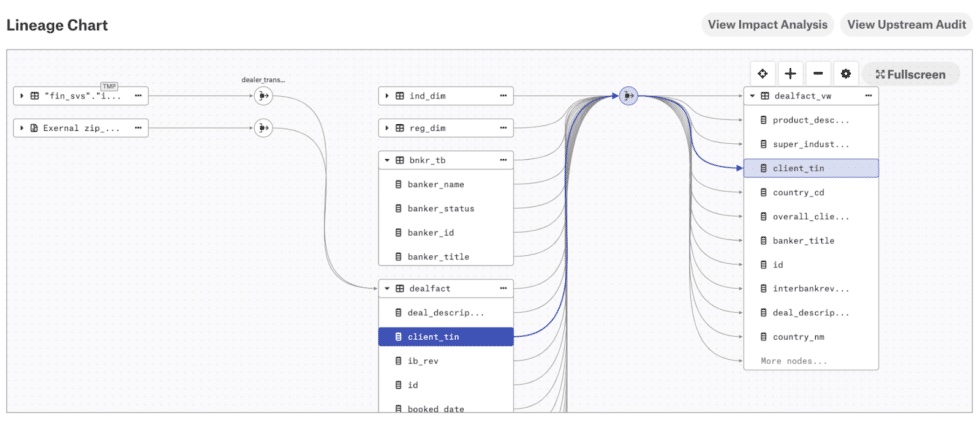
Competitor analysis
I explored competitors’ lineage tools to learn from their user experiences. Analysing the strengths and weaknesses of each approach helped decide the most suitable direction for CloudCover Lineage.
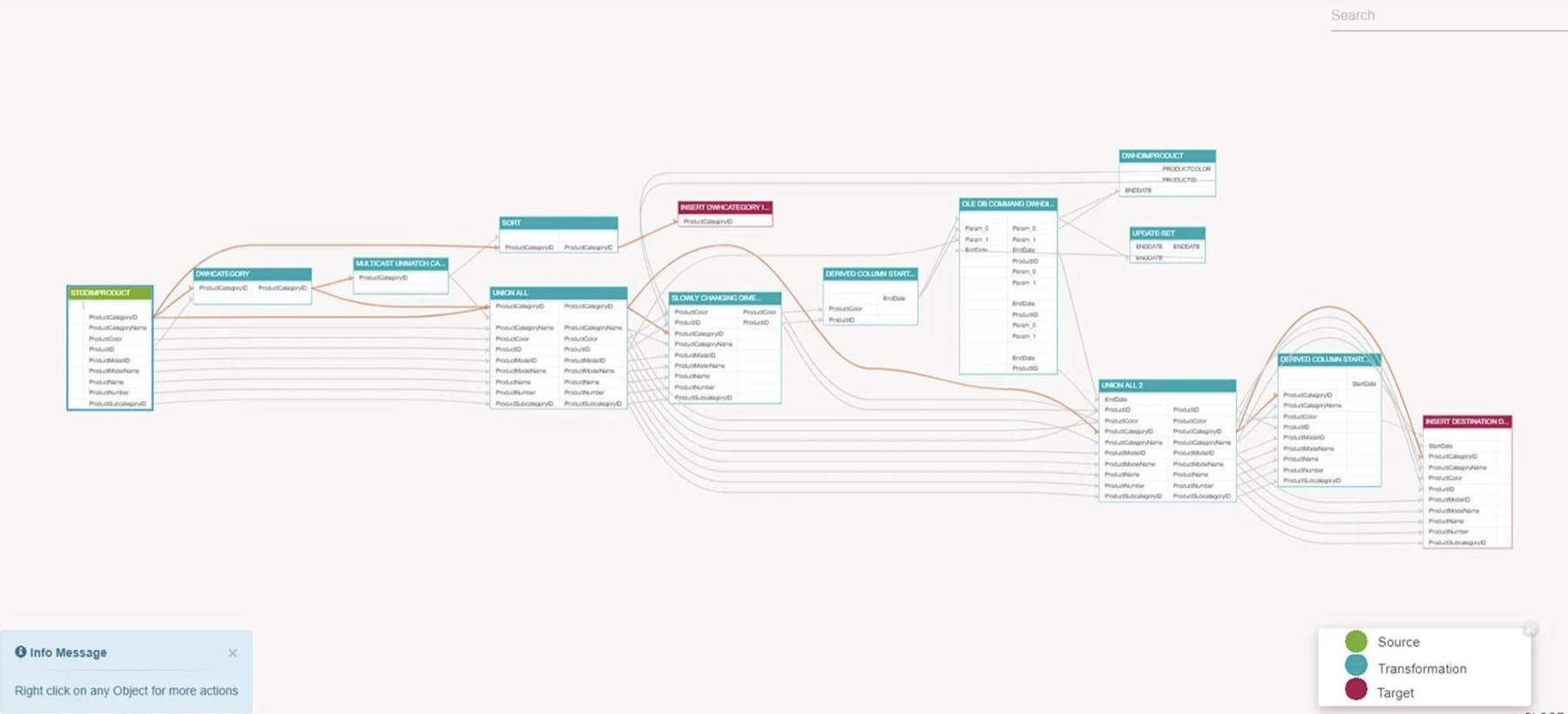
Octopai
Alation
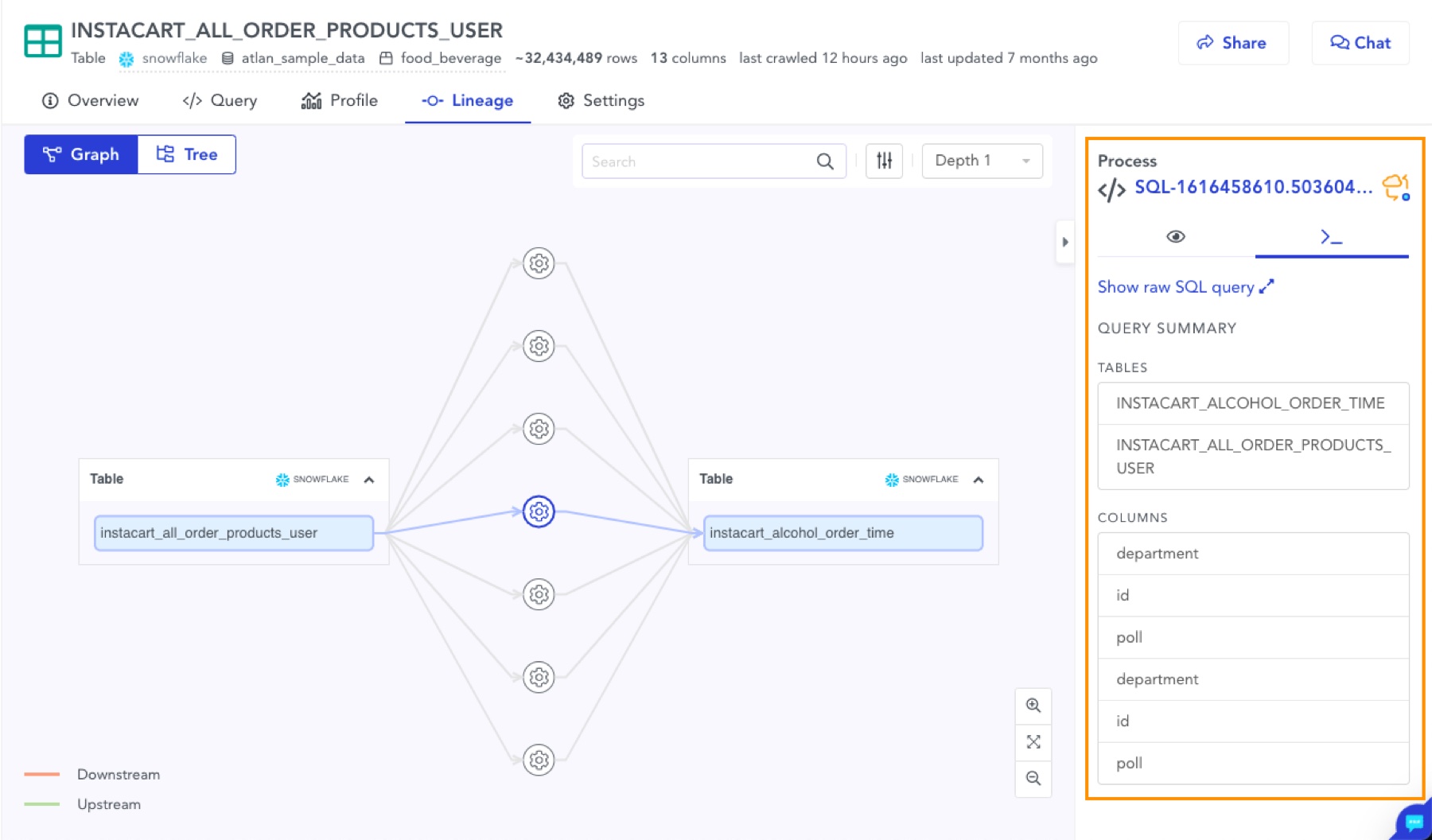
Atlan
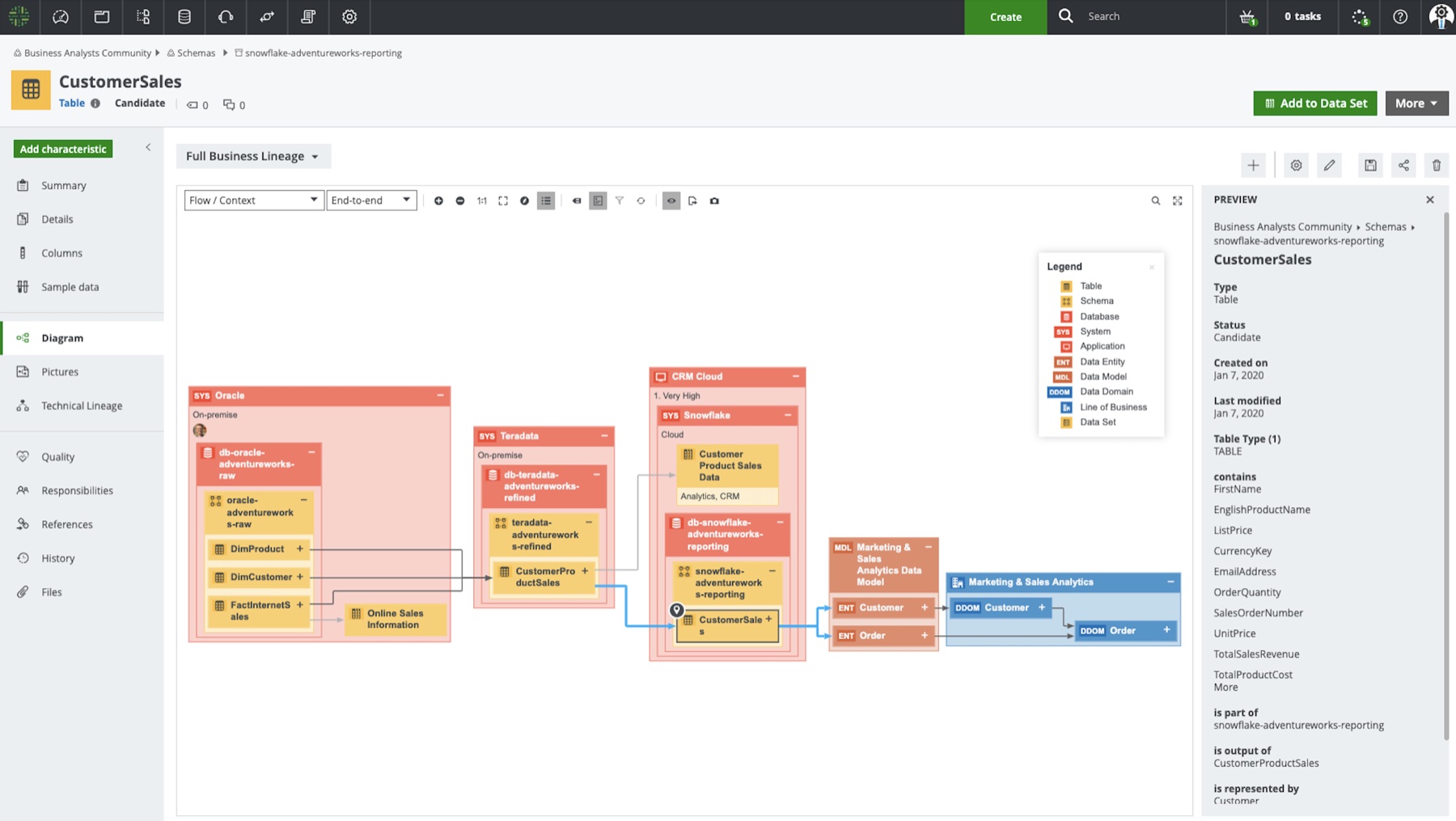
Collibra
How might I ensure the lineage and its features are presented with quality information and usability, so data analysts, stewards, engineers, compliance officers, IT professionals and others can visualise it clearly?
First attempt
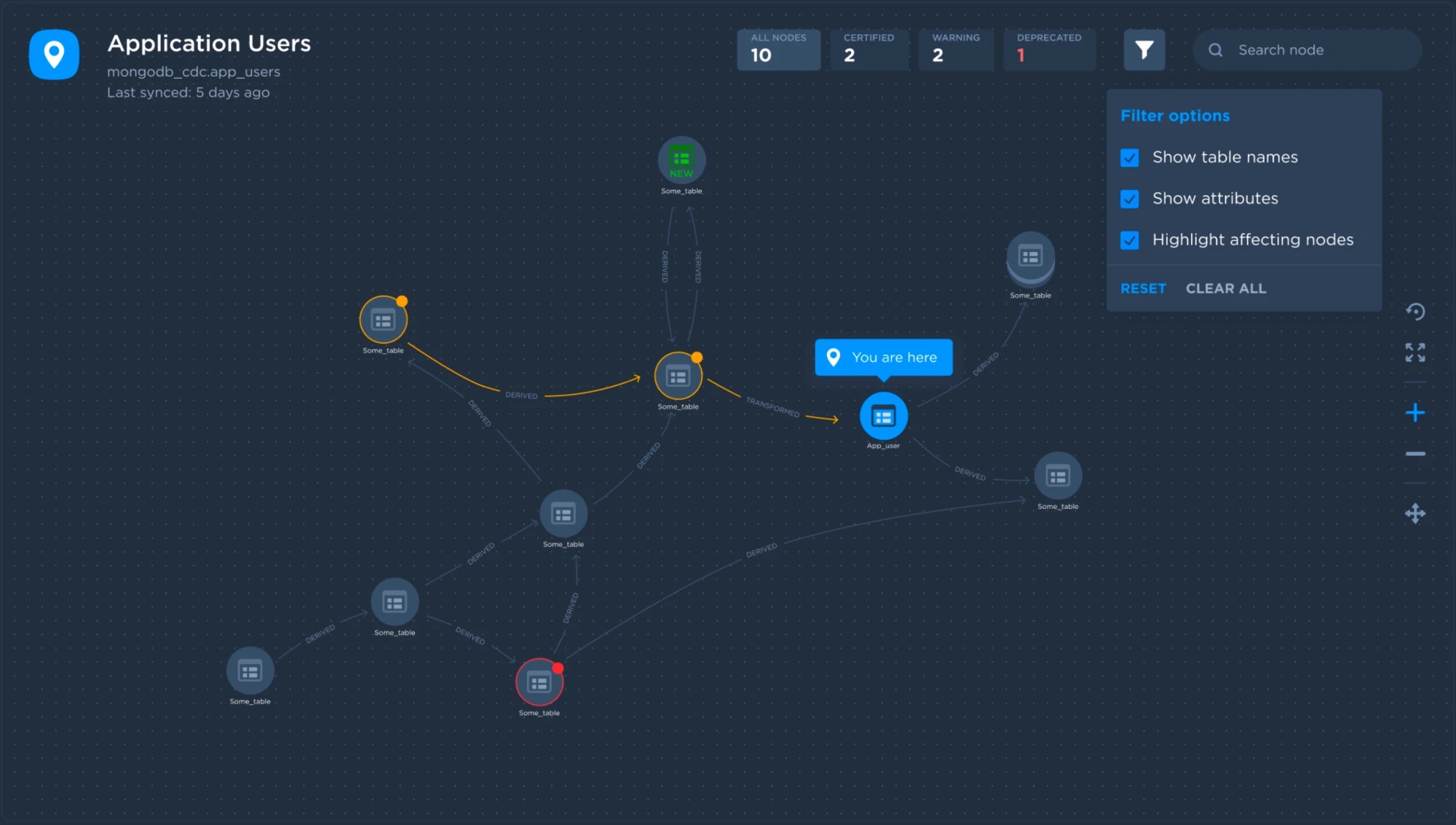
A free-form graph view
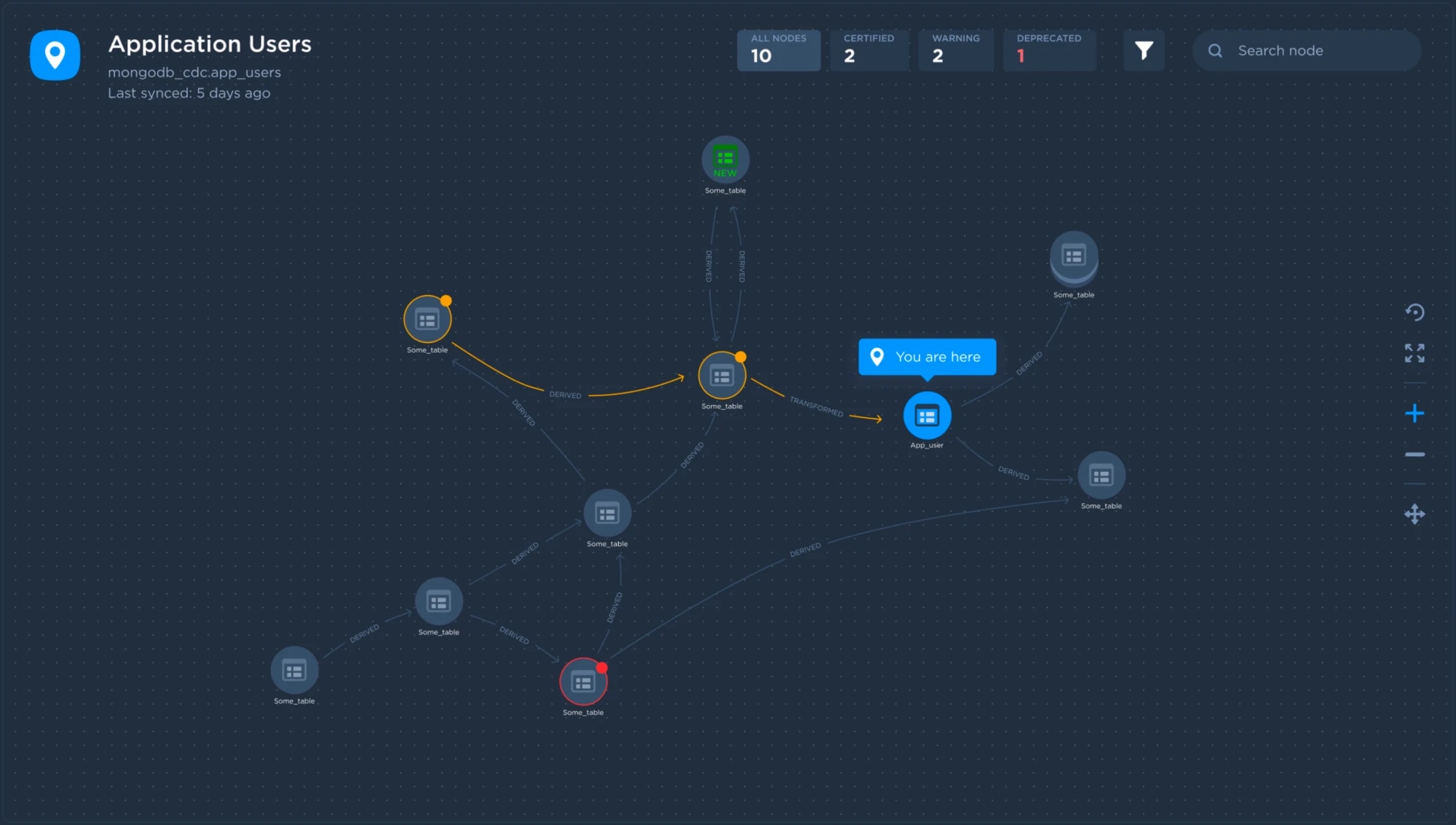
My first ideas were quick and dirty, so I gave the next round more effort. I explored a graph where each table is a node, aiming to surface the information that helps users as they discover things in the lineage.
Small yet clear
At first I thought always showing table names was vital. I learned that users care more about how the data evolves. Table names and connections alone gave too little context for discovery, so I compressed each table into an icon that shows its state.

Flags a new table in the lineage, so users know a new transformed or derived table exists from the current one.
The lineage can grow into a vast graph. Like on a map, it always helps to know where you are.
The regular presentation of any table without updates.
Shows that a table or node has children connected to it.
Tables with updates people need to check, so they know the table they're viewing is affected.
The selected view of a node.
Any schema change, deprecation or deletion in a connected node always surfaces on the map.
You are here
The lineage shows where you are, with counts of all, certified, warning and deprecated nodes at the top.
Filter options
Clicking the filter icon opens a dropdown where users can show table names, show attributes, and highlight affecting nodes.
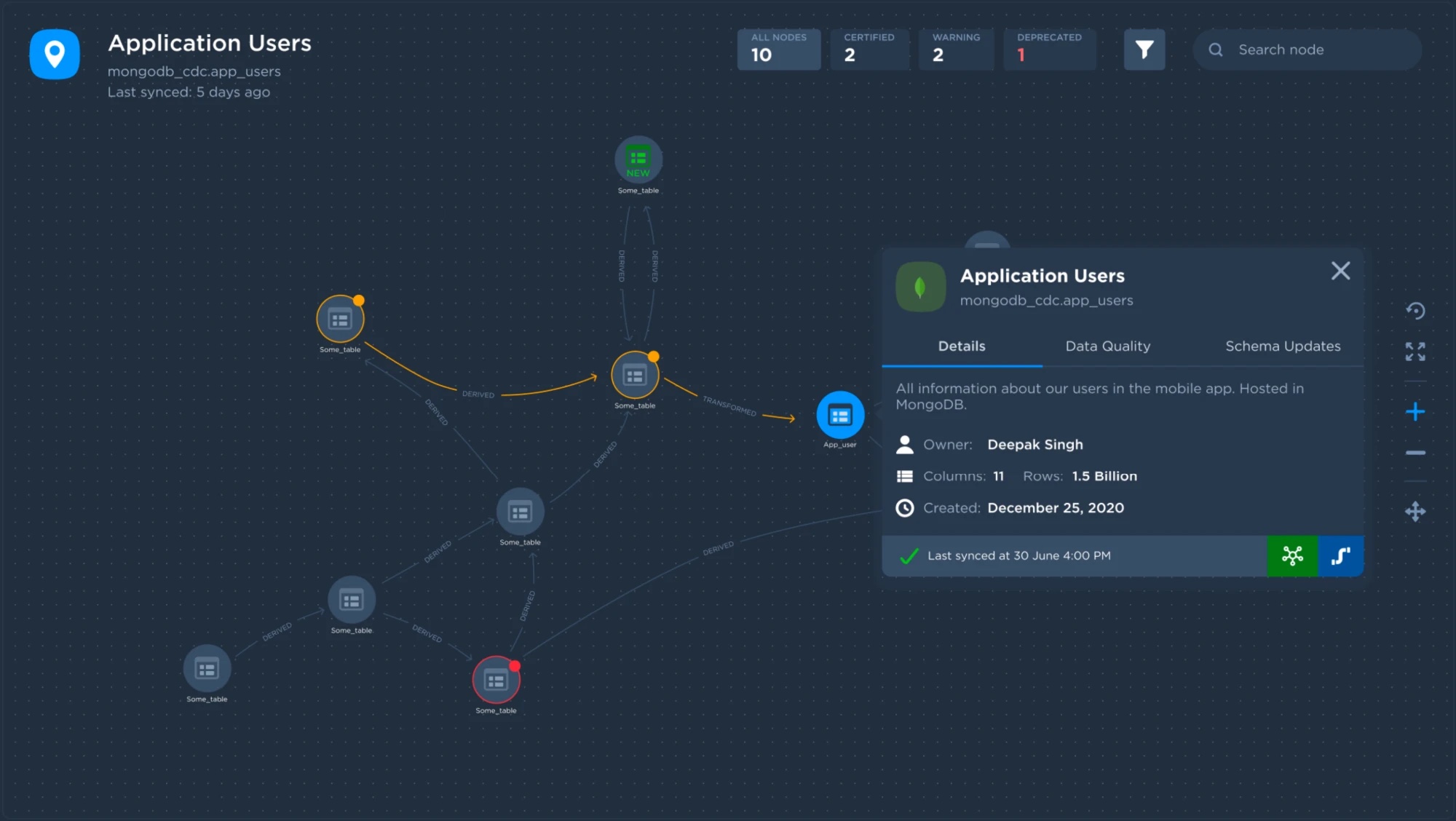
Node details
Clicking a node opens a popout with information about the table, separated into Details, Data Quality and Schema Updates tabs.
- It got messy at scale. As real pipelines grew, free-form placement brought back the tangled lines we set out to fix.
- Columns were hidden. Compressing tables into icons hid column-level lineage behind popouts, and that’s exactly what analysts and engineers needed most.
- It wasn’t easy to extend. A structured layout left room for the features users asked for, like focus views and filtering by schemas and tags.
- “You are here” became the destination table fixed at the centre of the canvas.
- Node details became a flyout panel, so users see metadata without leaving the lineage.
- Filters and highlighting became search highlighting and filtering by schemas and tags.
Redefine
Redefining the new lineage
With the problems and the first attempt behind me, I redefined the key elements of the lineage.
Consistent table structure
Ensure tables look and behave the same across the platform.
Keyboard shortcuts
Improve efficiency and productivity for frequent users.
Predictive search
Seamless, predictive search for tables and columns.
Clear connecting lines
Make sure connections are always clearly visible.
Filter by schemas & tags
Narrow the lineage down to what matters.
Focus views
Table-level and column-level focus to cut the noise.
Table metadata
View table information without leaving the lineage.
Multiple views
Visualise the lineage in different views.
New design system
Update the lineage to the new design system.
Final design
Redesigned Data Lineage Web 2.0
Each screen below is tagged with the 1.0 problem it solves. Every screen is also built on the new design system, which fixes Problem 5.
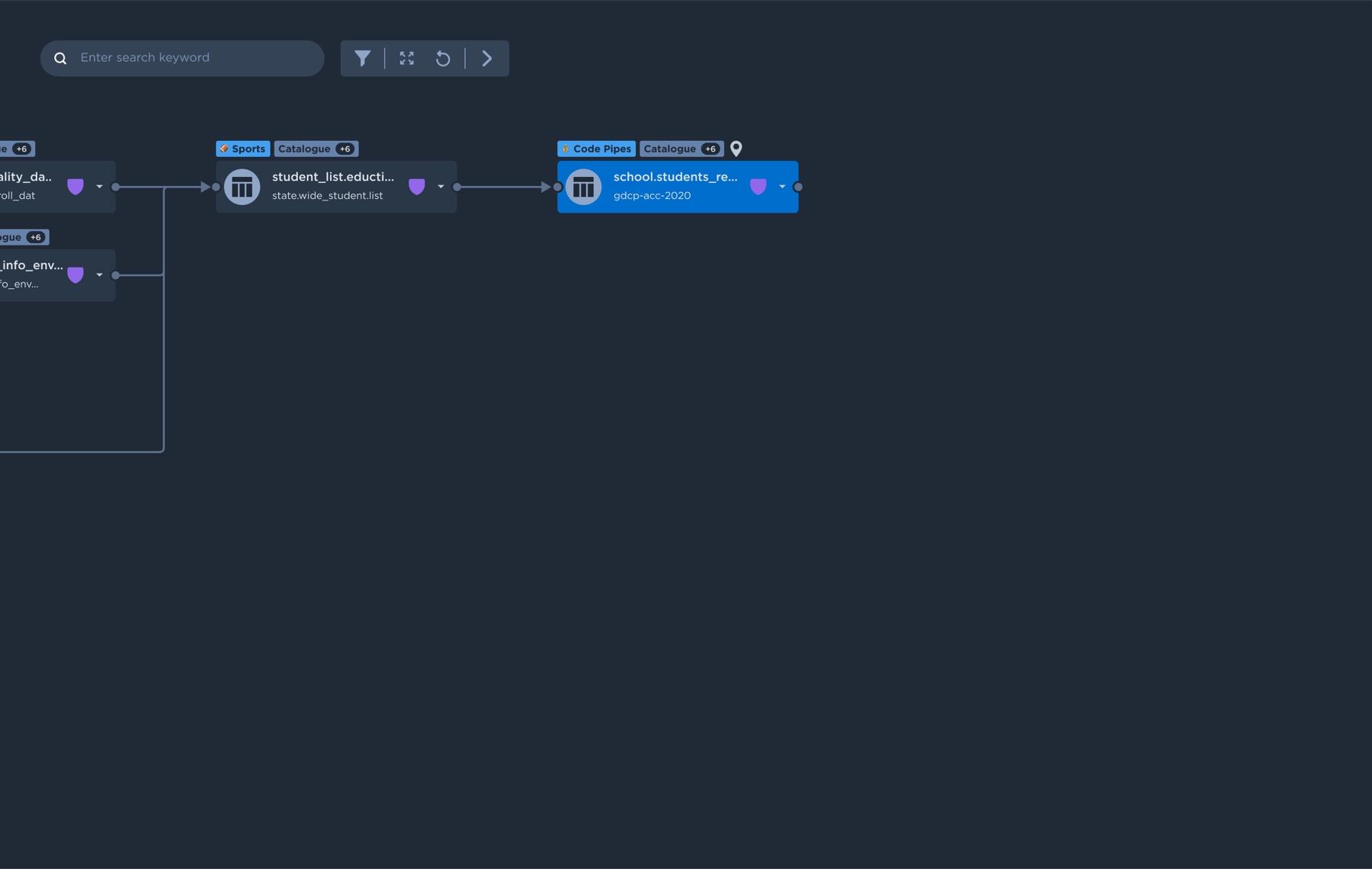
Destination at the centre
The destination table is fixed at the centre of the canvas, so users can focus on it as soon as they arrive at the lineage.
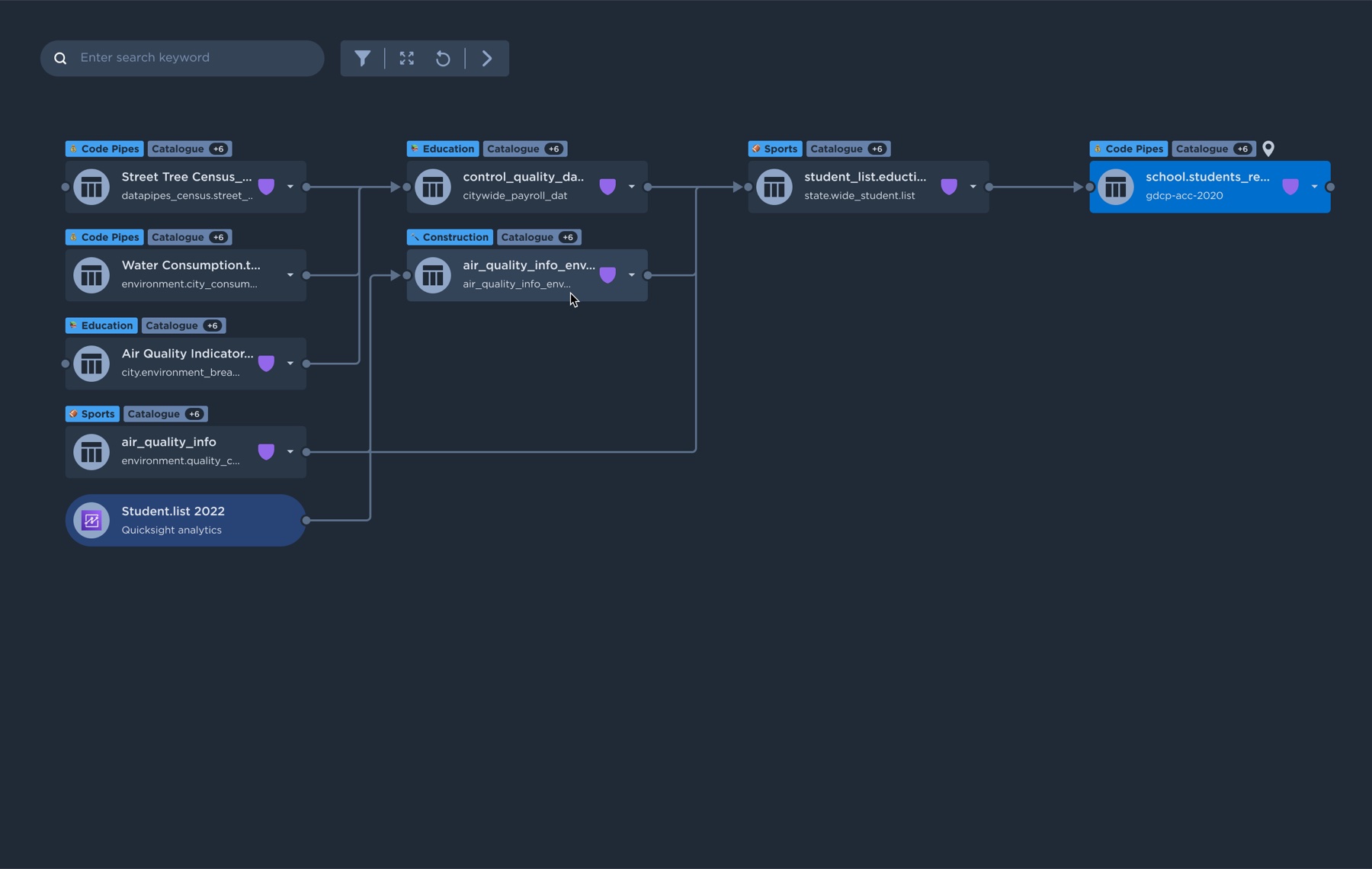
Downstream connections
All of the downstream tables are connected to the destination table.
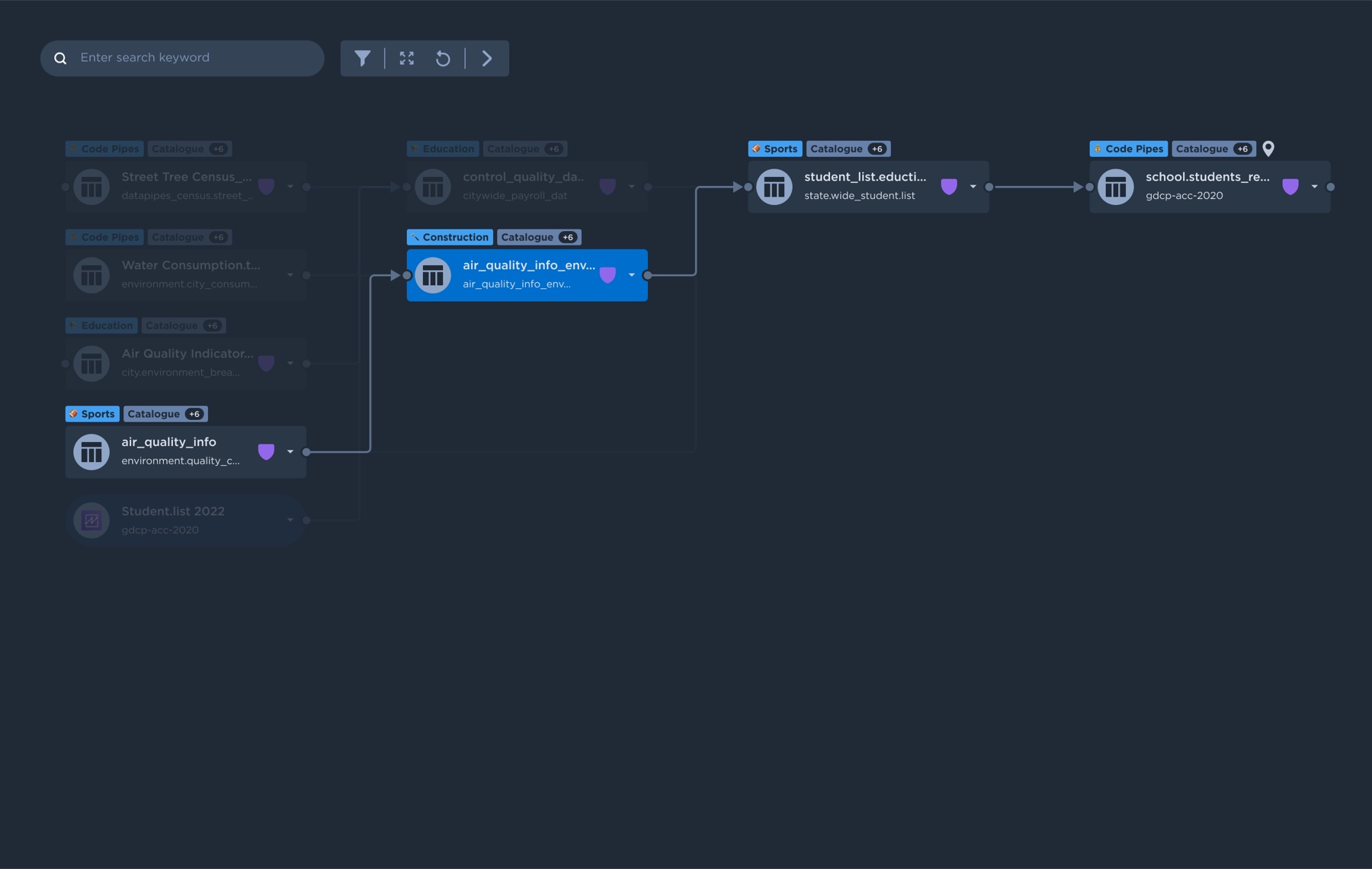
Highlight a table's lineage
Clicking any table highlights all of its upstream and downstream connections.
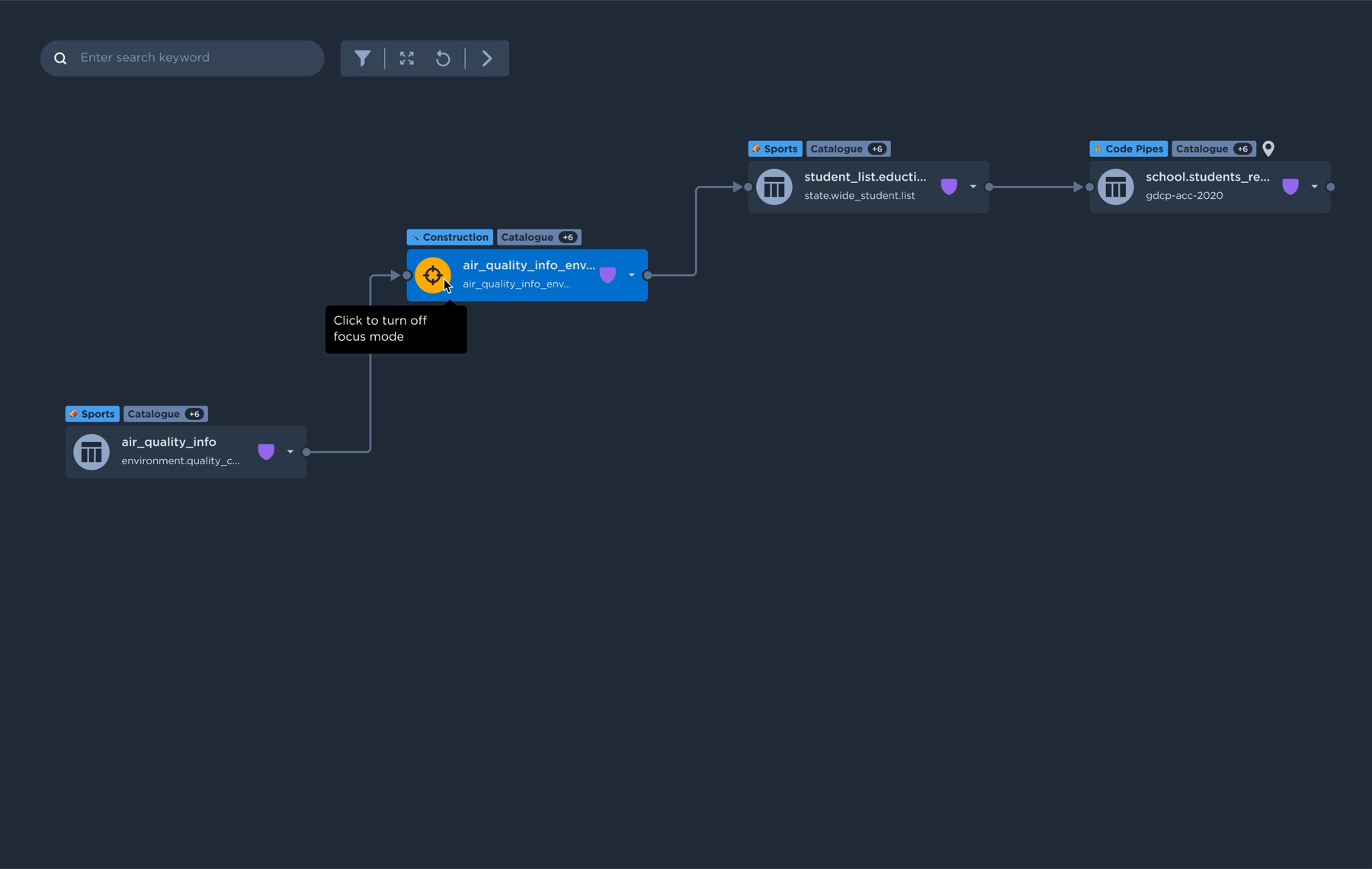
Focus mode
Hovering and clicking a table's icon activates focus mode, showing only the connections of the selected table.
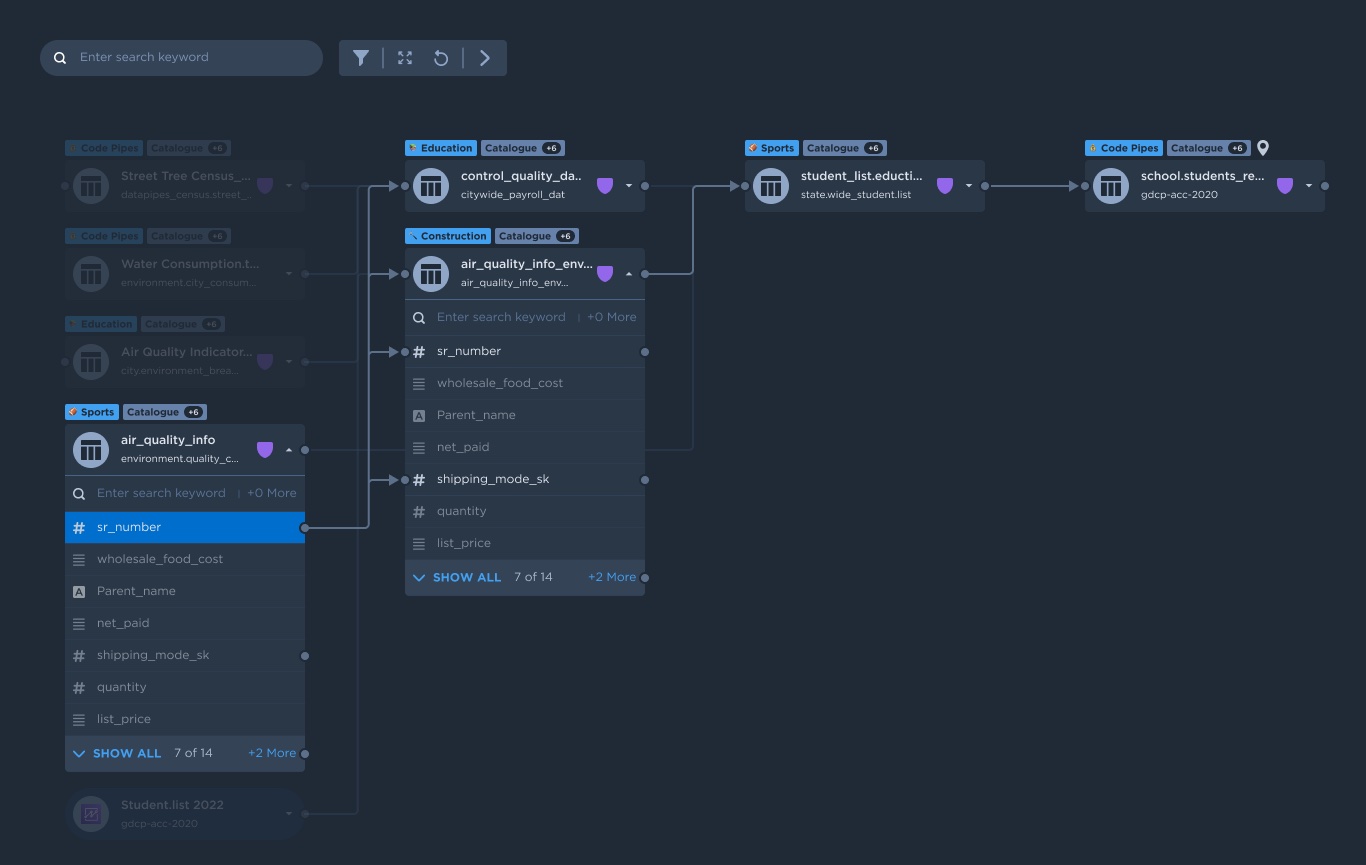
Column-level lineage
A dot at the end of a column shows it has connections. Clicking it highlights all upstream and downstream connections of that column.
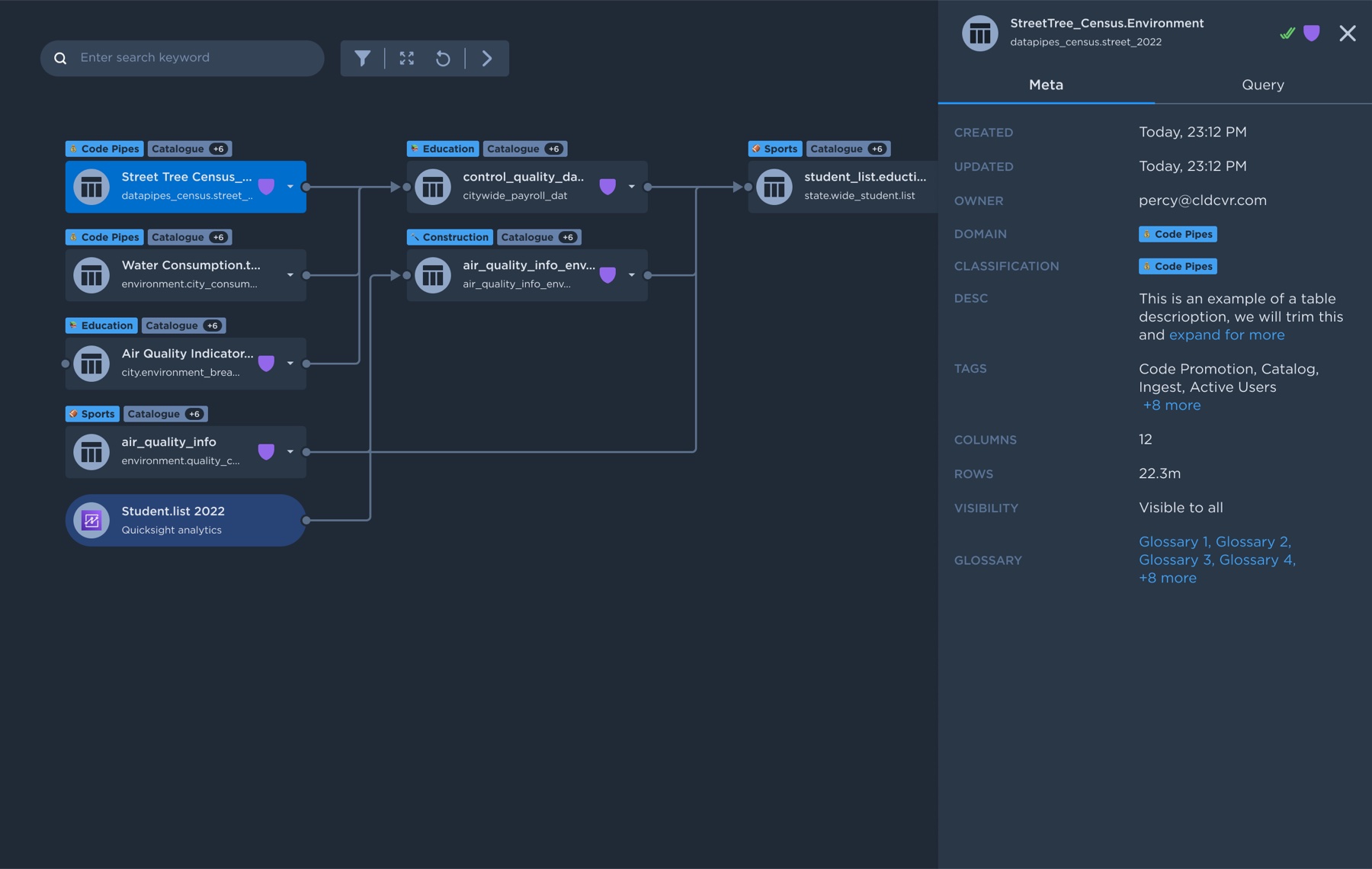
Table details flyout
Double-clicking a table opens its details in a flyout panel.
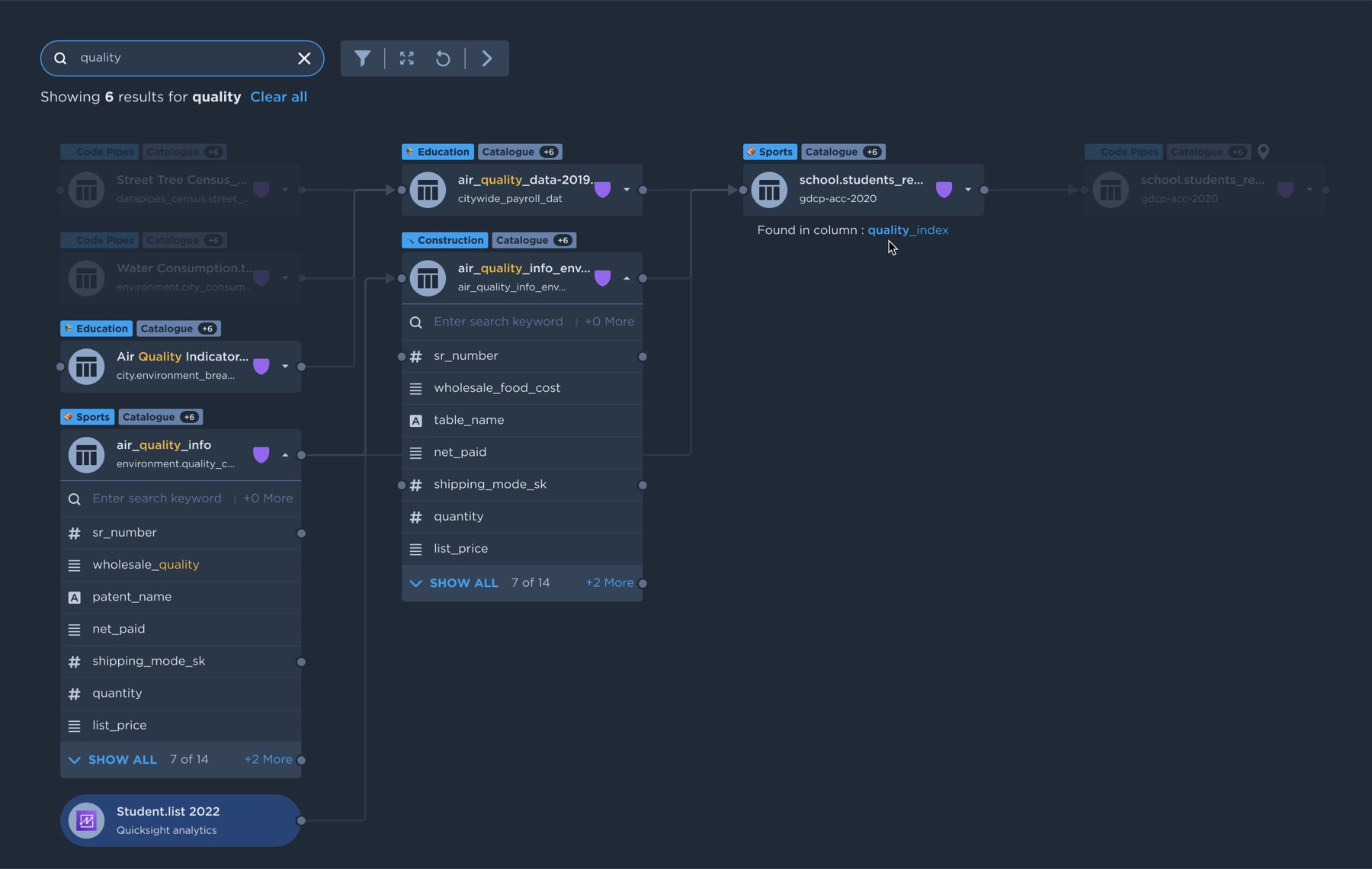
Search that highlights
Entering a keyword highlights the matching tables and columns, while the rest of the lineage fades back.
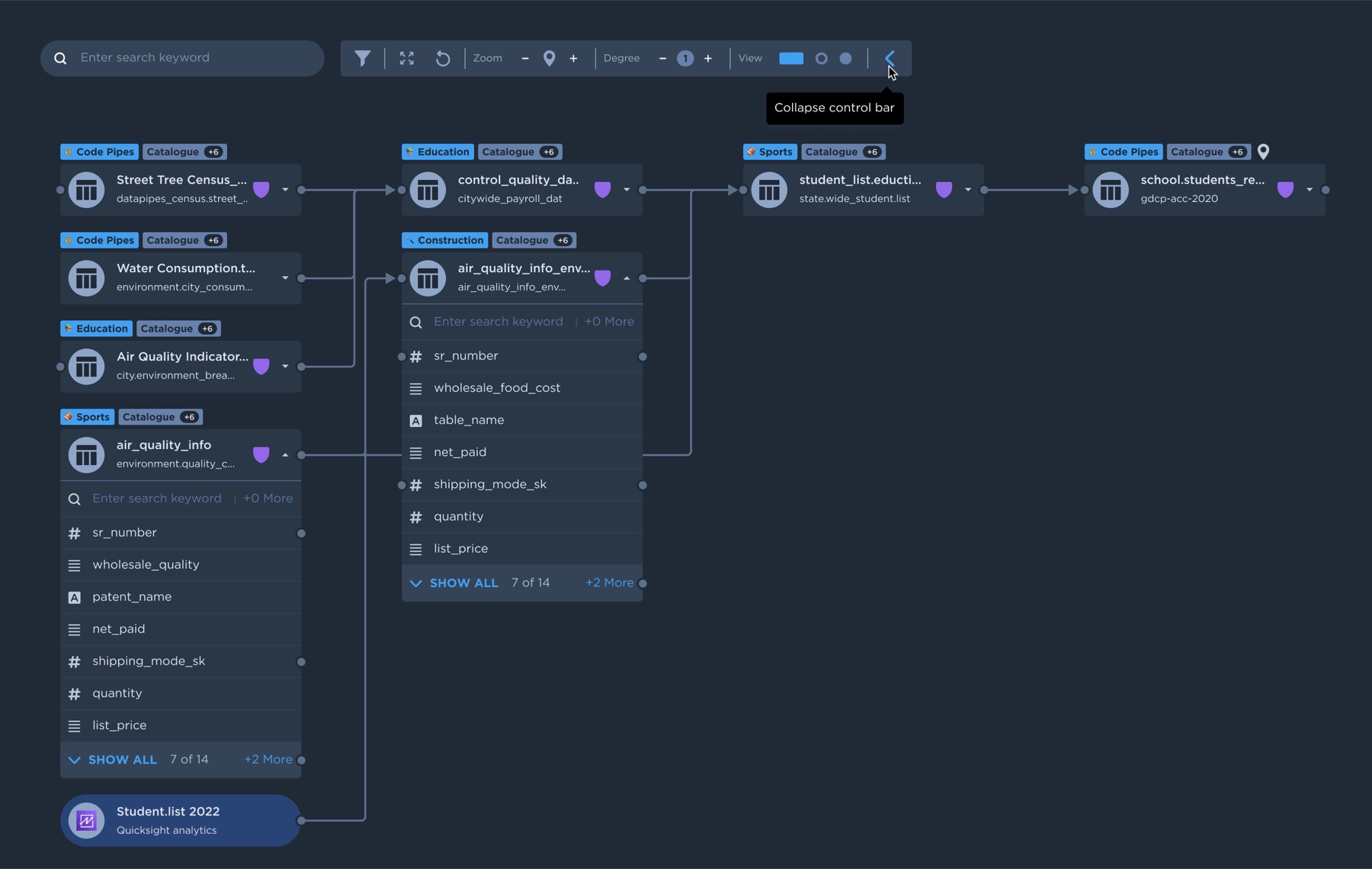
Tucked-away action bar
Less frequently used features like manual zoom, degree and views live in the action bar, out of the way.
Try the lineage
Try the fixes above yourself: click a table to highlight its lineage and open its details. For the best experience, open it full screen.
Validation
Usability test
I ran face-to-face usability tests with prototypes, sitting with internal data analysts, developers and top-level executives to see whether they could understand how to use the lineage. I asked them how they traced a table or column, how easy search was, whether the highlighting and flyout details were clear, whether the hidden action-bar functions were useful, and how likely they were to use the tool regularly.
What testers said
“The process of determining the lineage of a table or column was very simple and easy to follow. All the connections were highlighted as soon as I clicked.”
“Searching for a table or column using a keyword was very straightforward, and the highlighting made it easy to see where they were on the diagram.”
“It was great to be able to quickly see the metadata and queries without having to navigate to another screen.”
“I didn't need the hidden functions often, but they were useful when I did. Nice to have them without cluttering up the main interface.”
“Much more intuitive and user-friendly than older lineage tools I've used.”
“I am very likely to use this lineage on a regular basis. It makes it much easier to see the upstream and downstream connections.”
Impact
Shipped and in use
The redesigned lineage shipped in Data Pipes and was featured by AWS. Their Partner Network blog uses it to show how Data Pipes tracks the flow of data and its relationships to other datasets.
Reflection
What I learned
Structure beats freedom at scale
The free-form graph read well with a handful of tables but got harder to follow as pipelines grew. A predictable left-to-right layout let users build a mental model that held as pipelines grew.
Show the evolution, not just the names
Users care about how data changes. Highlighting a table's upstream and downstream path answered that faster than any amount of labelling.
Hide the rare, surface the frequent
Moving rarely used tools into the action bar kept the canvas calm, and testers confirmed they could still find them when needed.
Next time, measure it
The tests gave strong qualitative signals. Next time I'd pair them with task success and time-to-trace numbers to show the improvement over 1.0 in hard figures.