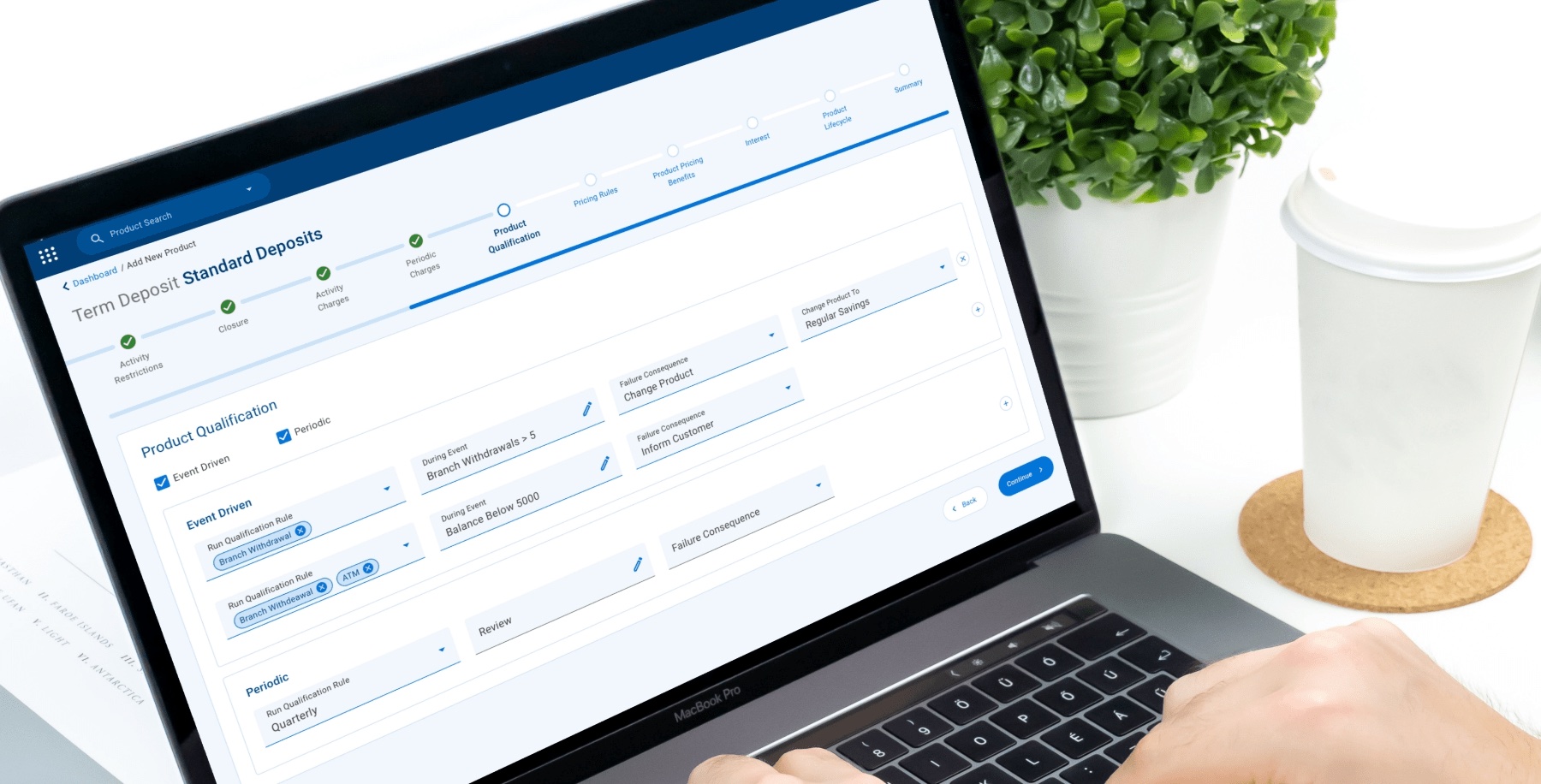
Temenos — Enterprise Product Management
Overview
Enterprise Product Management (EPM) is a banking solution from Temenos that gives banks the flexibility to configure and define their own products: accounts, deposits, packages, pricing and loyalty programs. It serves two types of users, the Product Designer who builds products and the Product Approver who signs them off.
- UX Designer
- Senior Designer & 2 UX Designers
- Enterprise Web

Context
Who is EPM built for?
Temenos clients
Banks running Temenos as their main core system, or as one of several cores, that want product configuration built into the platform they already use.
Non-Temenos clients
Banks with multiple core and peripheral systems that need a single place to define and govern products across all of them.
Small and medium banks
Smaller banks that need to launch competitive products quickly without a large in-house engineering team.
The products these banks design end up with customers like frequent travellers, people who transact in multiple currencies, people who don’t want to hold foreign currency accounts abroad, and shoppers buying from global online stores. EPM has to make products like these easy to define, price and launch.
Problems
Meet the users
Our persona, Henry, is a Product Designer at a leading US bank with 12 years in the industry. He owns the end-to-end process of creating new products, packages and pricing, likes everything to be precise, and wants to give his customers as much flexibility as possible.
“I understand the process of end-to-end product design and try to ease the process with the customers.” What drives him is being productive and keeping customers satisfied, but the existing tools got in the way.
Slow, opaque approvals
Long waits to get products approved, and it was hard to tell one status apart from another.
Lengthy, cluttered screens
Long forms with a lot of clutter made it hard to concentrate on any one section.
No way to categorise products
Every product was listed in one place, so finding and organising them was difficult.
Personas
EPM has two sides: the Product Designer who builds products, and the Product Approver who signs them off. Each needed the tool to work differently.
Henry Richardson
Age: 38
Occupation: Product Designer at a leading US bank, New York
Henry has 12 years of experience in banking and holds an MSc in Banking. He owns the end-to-end process of creating new products, packages and pricing. He likes to be precise in everything he does and wants to give his customers as much flexibility as possible. What drives him is being productive and keeping customers satisfied.
Goals
- Create products, packages, relationship pricing and loyalty programs to fit each customer's needs
- Create products in multiple currencies
- Submit a product or package for approval and track its status
- See analytics and customise packages based on demand
Challenges
- Long waits to get approvals
- Lengthy screens with a lot of clutter, making it hard to focus on one section
- All products listed in one place, so they're hard to categorise
- Hard to tell one status apart from another
Behaviours
- Careful and detail-oriented
- Responsible and organised
- Extrovert and optimistic
- Curious about new ways to package products
Olivia Bennett
Age: 46
Occupation: Product Approver, Head of Product Governance at a retail bank, London
Olivia has over 15 years in banking risk and product governance. She signs off every product, package and pricing change before it goes live, making sure each one meets regulatory, risk and profitability standards. She reviews dozens of submissions a month alongside her other responsibilities, so her time is always short.
Goals
- Review submissions quickly, with all the context in one place
- Ensure every product meets compliance, risk and pricing policies
- Understand the financial impact of a package before approving it
- Give designers clear reasons when rejecting, so fixes are fast
Challenges
- No single queue; submissions arrive across emails and systems
- Hard to tell new submissions apart from amendments
- Long, fragmented product details make reviews slow
- No forecast of income or cost to judge a package against
Behaviours
- Risk-aware and cautious
- Methodical, works through the queue in batches
- Time-pressed, values clarity over detail on first glance
- Collaborates with compliance, finance and product teams
Goal
Job to be done
Flexible products
Configure anything
Create products, packages, relationship pricing and loyalty programs to fit each bank's needs, in multiple currencies.
Clear approvals
Submit & track
Submit a product or package for approval and always know where it stands.
Demand-driven packages
Analytics
See how products perform and customise packages based on demand.
Scale
Why it matters
EPM sits on top of one of the most widely used core banking platforms in the world, so every design decision reaches a lot of banks and a lot of accounts.
41/50
Of the top 50 banks run Temenos
24M
Accounts at the largest client
1,080
Temenos Transact clients
#1
Best-selling core banking system for 16 years
Design process
Research, Analyze, Design, Build
We worked in four stages, starting from the business vision and ending with reviewing what engineering built, with stakeholders involved throughout.
- Business goal & vision
- Business requirements
- Technical constraints
- User groups & roles
- Analysing the requirements
- Preparing the questionnaire
- Discussing with stakeholders
- Creating task flows
- Ideate
- Prototype
- Stakeholder review
- Visual design
- Deliver to the engineering team
- Review the developed product
User flow
From draft to approved product
Product Designer
Starts on a dashboard of product categories and status cards (pending, available, rejected, published), adds a new product, picks its type, then works through a step-by-step wizard before submitting it for approval.
Product Approver
Sees every product, package and pricing change waiting for review, validates the summary, and either approves it with an available date or rejects it with a reason that goes back to the designer.
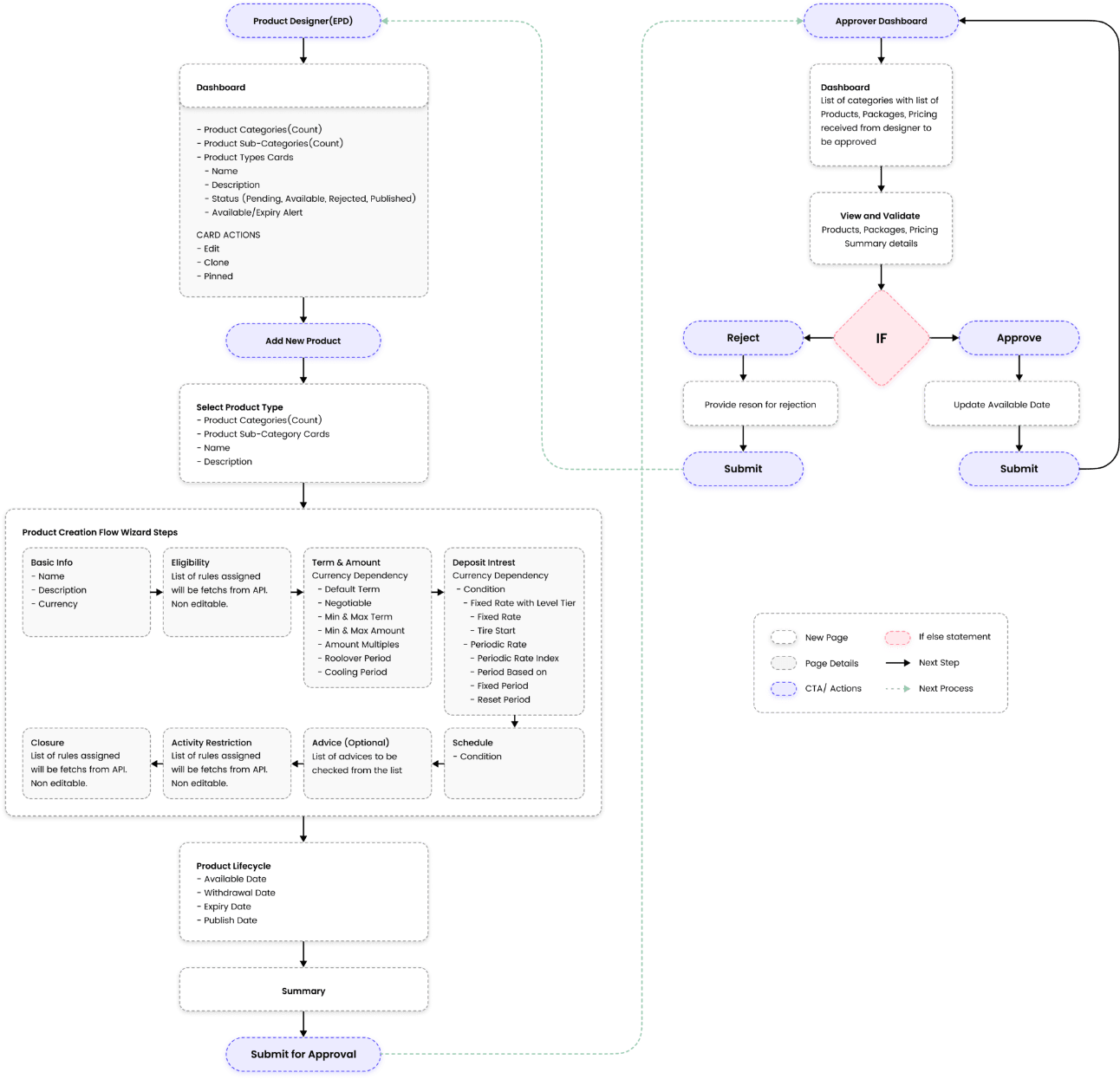
Breaking up the lengthy screens
To fix the cluttered, overwhelming forms, product creation became a wizard with one focused step at a time: Basic info, Eligibility, Term & amount, Deposit interest, Schedule, Advice, Activity restriction and Closure, followed by the product lifecycle dates and a summary. Rules fetched from the API are shown read-only so designers only edit what they can actually change.
Product video
EPM in motion
As a team we also made a product video to introduce EPM to banks and stakeholders.
Final design
Product Designer
The designer’s journey follows one product, a Standard Deposit, from sign-in through configuration and submission, then on to the analytics that show how products perform.
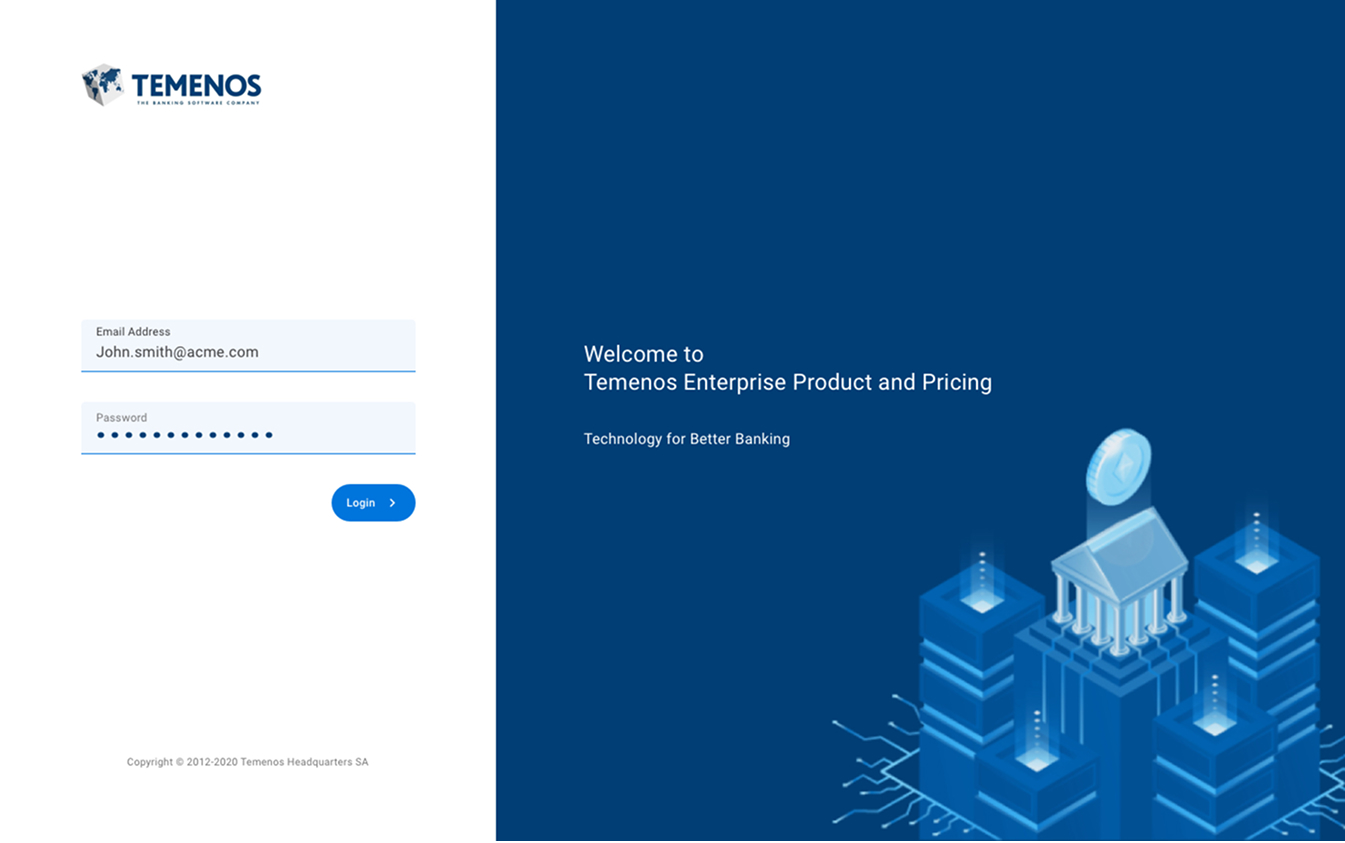
Temenos Enterprise Product and Pricing
A simple, branded sign-in. Designers and approvers share one entry point and land on the modules their role allows.
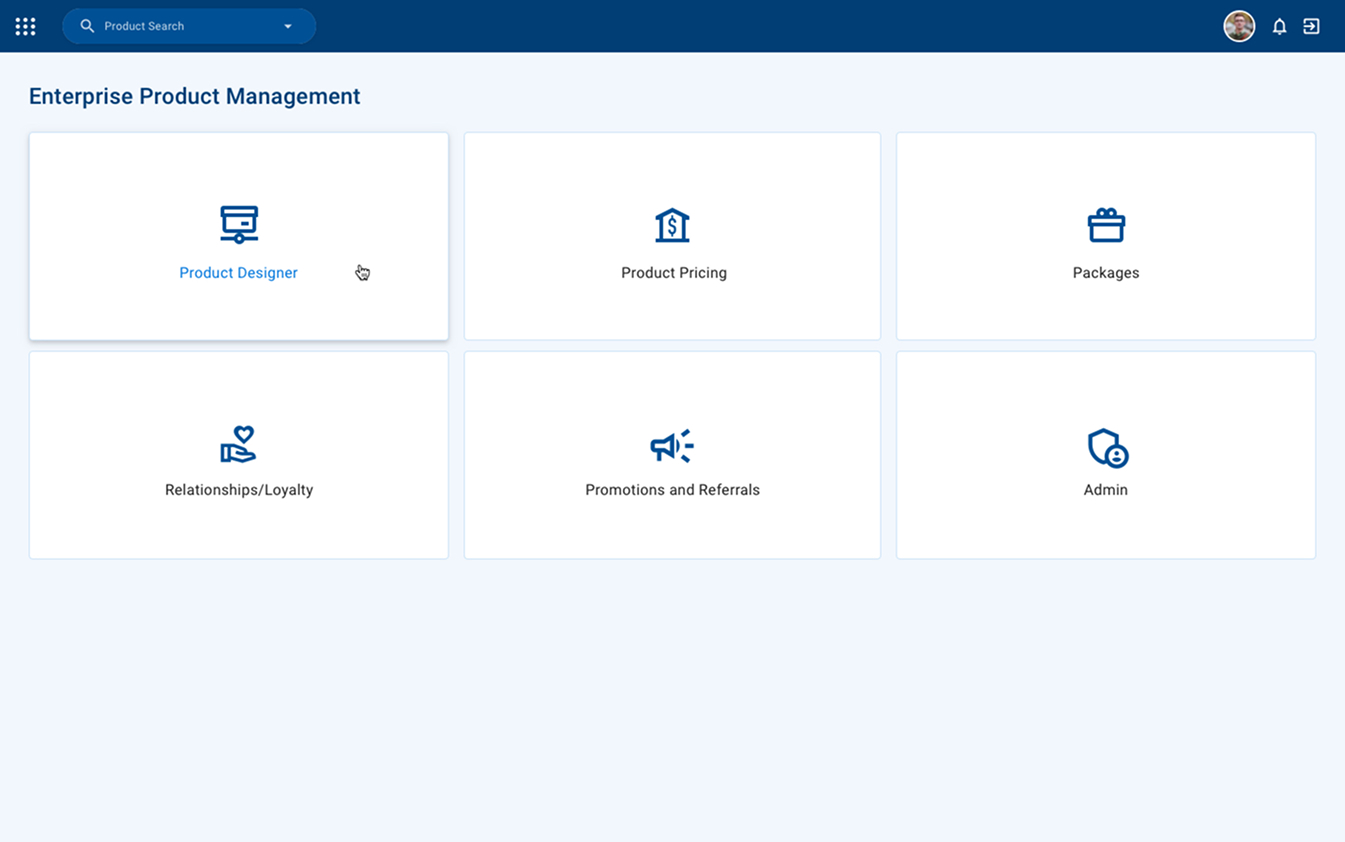
One home for every product tool
Product Designer, Pricing, Packages, Relationships/Loyalty, Promotions and Admin sit in one clear grid, so users go straight to the job they came to do.
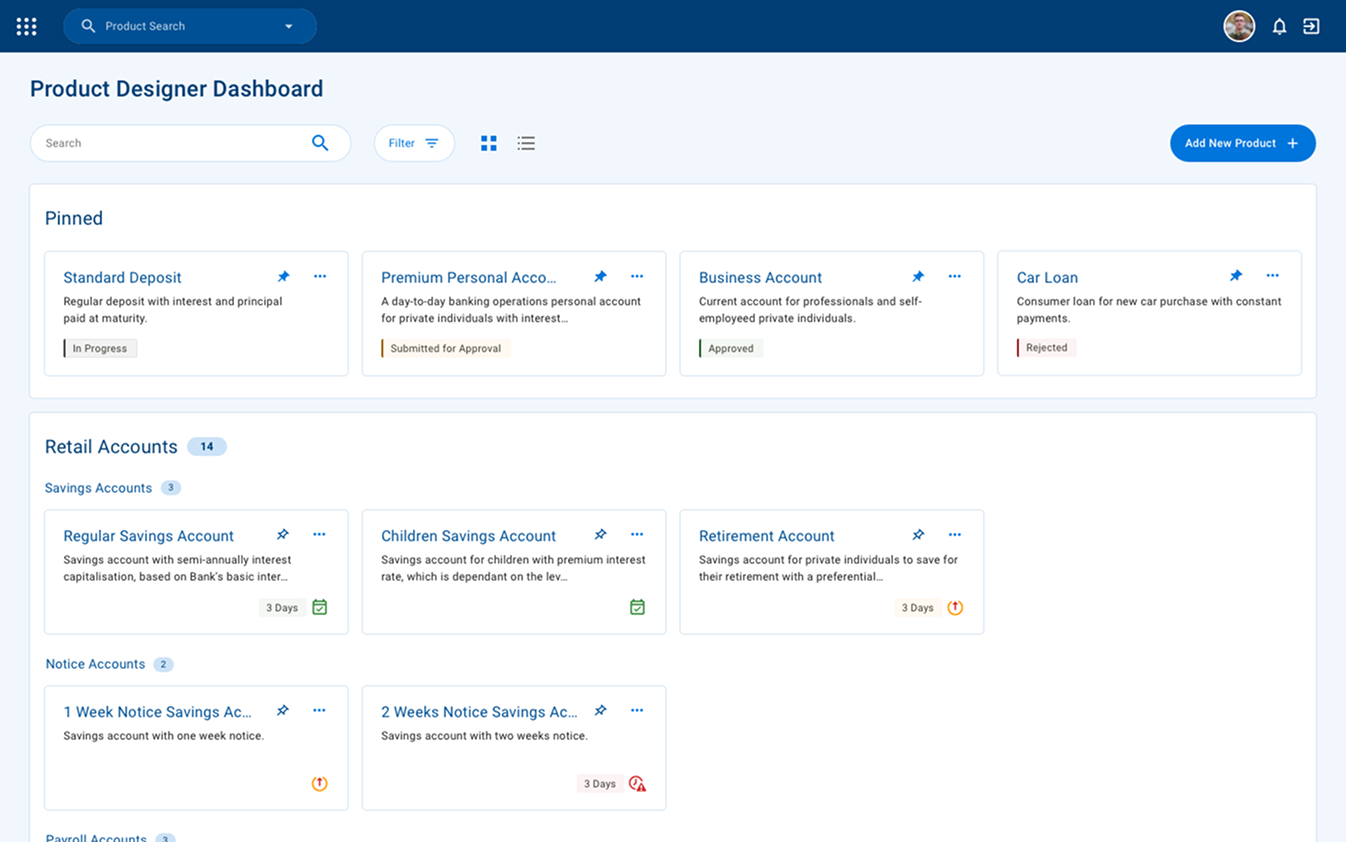
Categorised products with clear status
Fixes “everything listed in one place”. Products are grouped by category with counts, pinned items stay on top, and colour-coded status tags and expiry warnings show where each product stands.
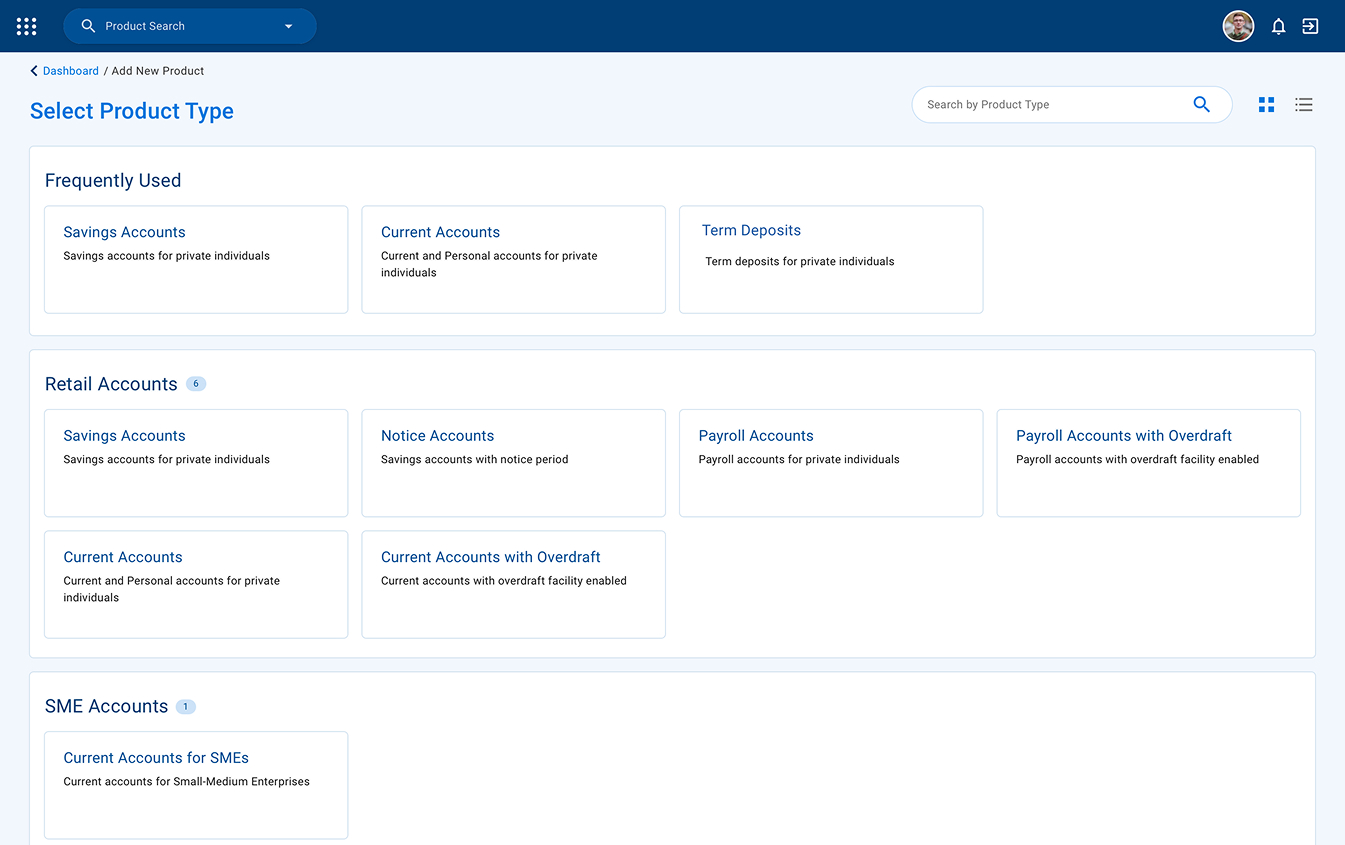
Start from the right template
Adding a product starts by picking its type. Frequently used types come first, the rest are grouped by Retail and SME, with search and grid/list views for long catalogues.
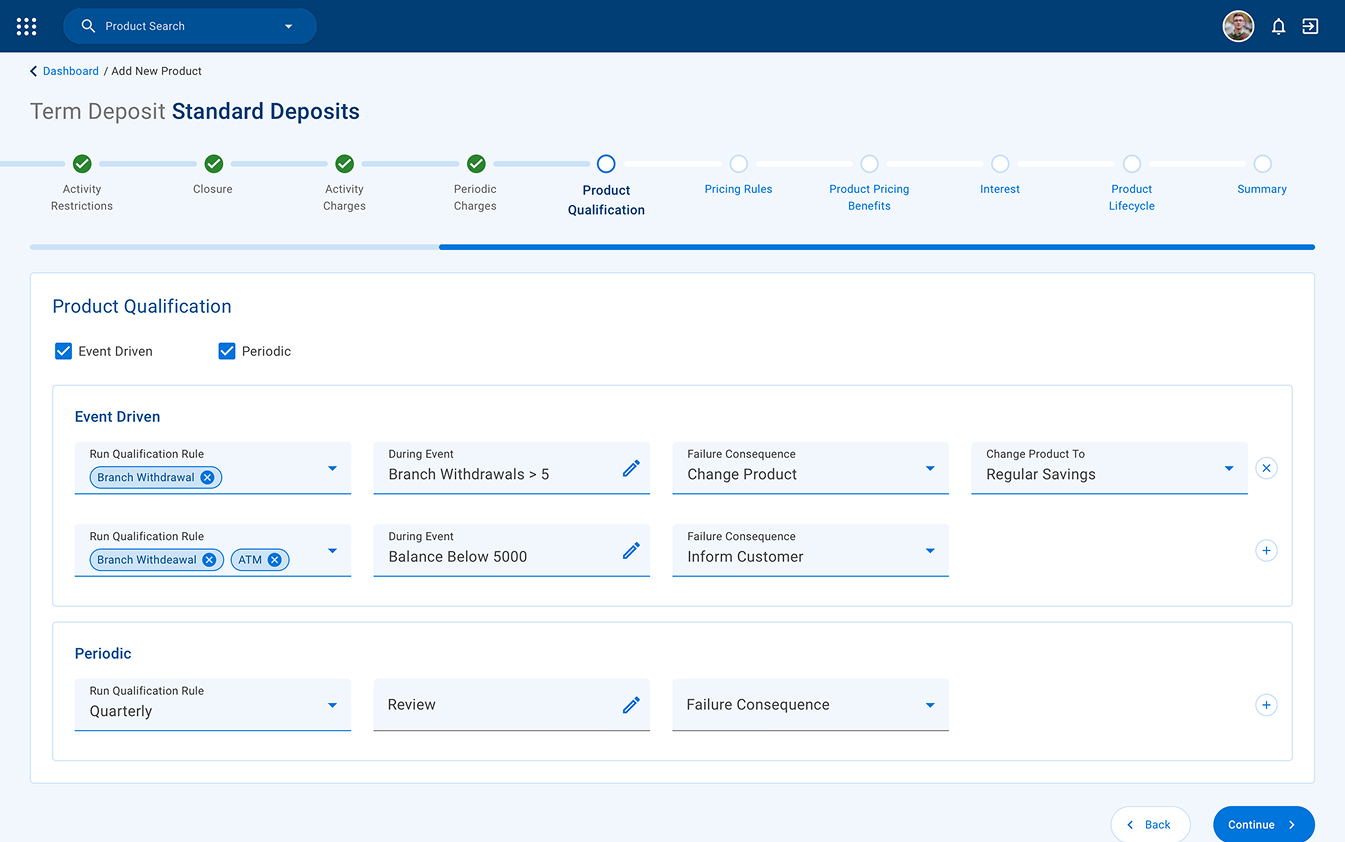
One focused step at a time
Fixes the lengthy, cluttered forms. A stepper breaks configuration into sections, and rules like product qualification are built as readable rows (rule, event, consequence) that can be added or removed inline.
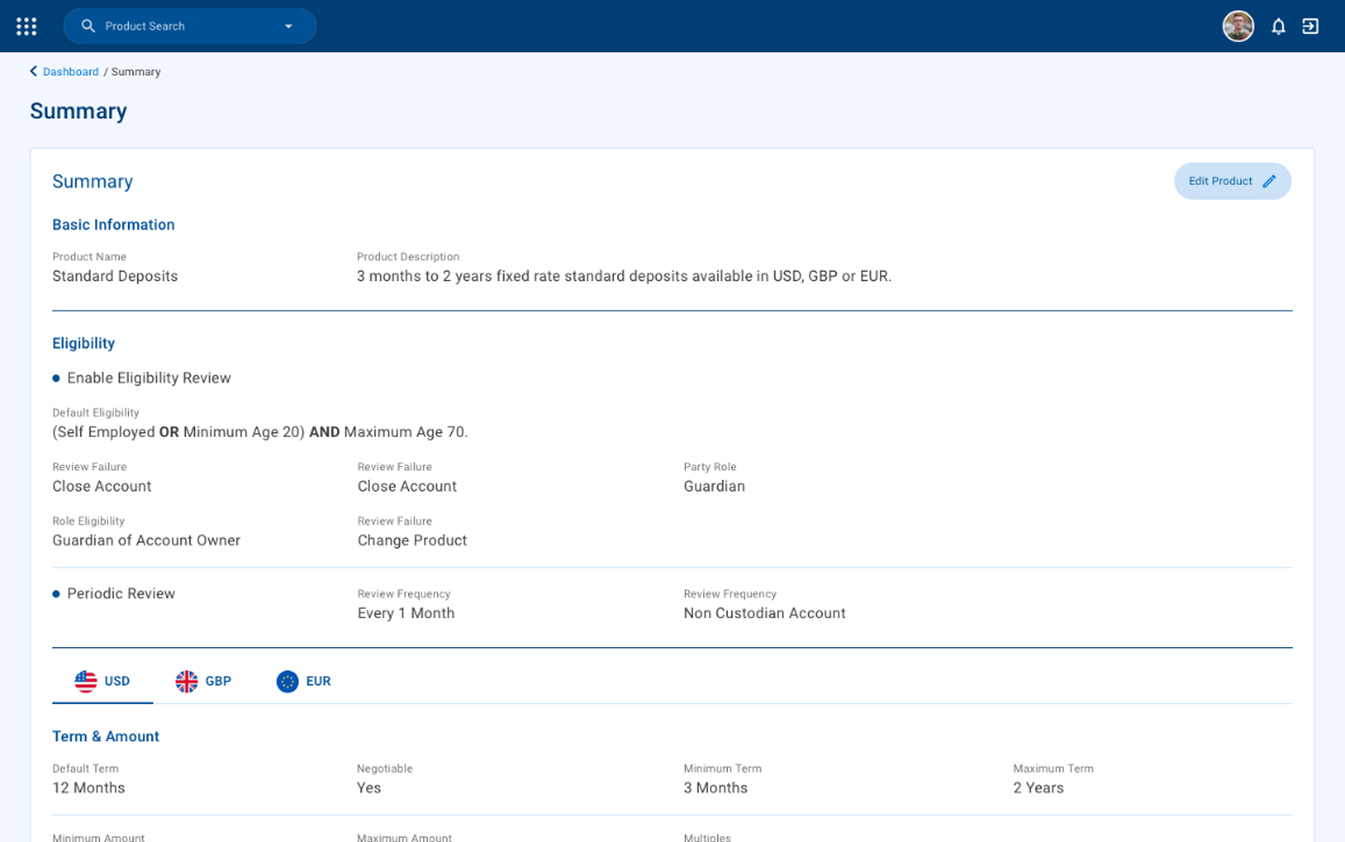
Review everything before submitting
The whole product in one readable summary, with currency tabs (USD, GBP, EUR) for multi-currency terms and an Edit Product shortcut to jump back and fix anything.
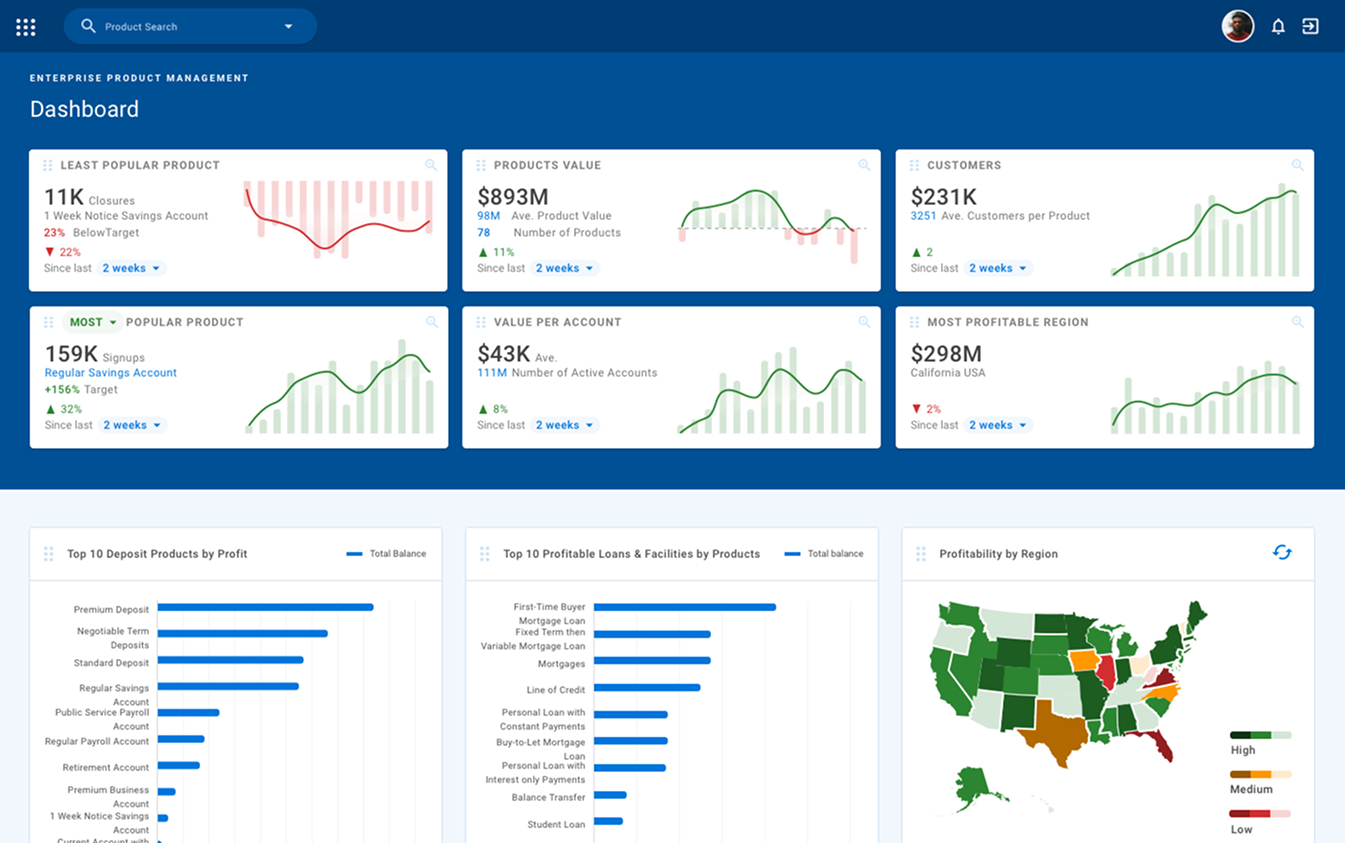
See how products perform
Once products are live, KPI cards surface least and most popular products, product value, customers, value per account and most profitable region, each with a trend and time-range filter.
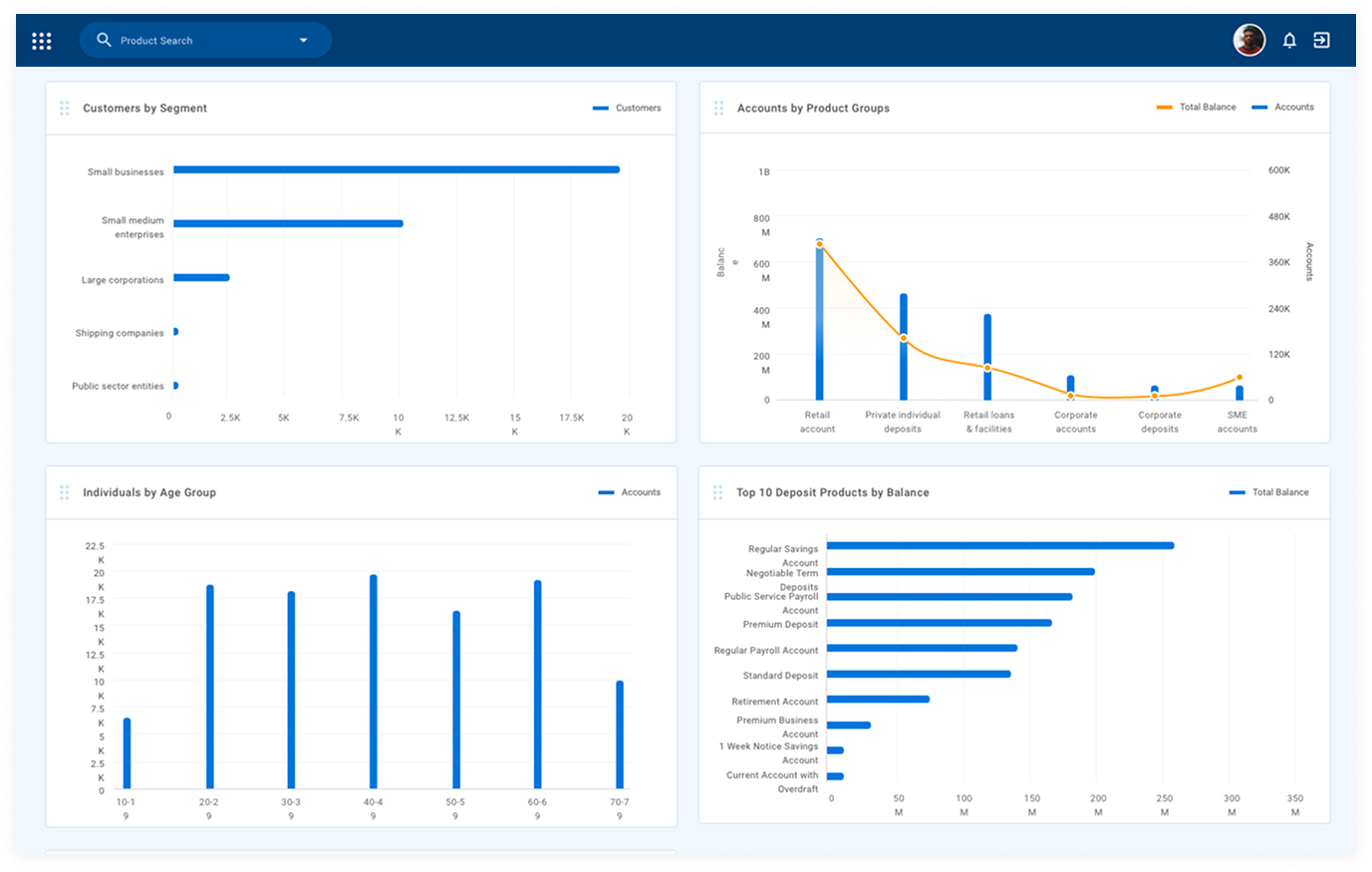
Customise packages based on demand
Charts break customers down by segment and age group and rank products by balance, giving designers evidence to tune packages and pricing.
Final design
Package Approver
Approvers work from a single queue of everything waiting on them: products, packages and pricing. They review the full summary, including a simulated income forecast, and approve or reject it. Admins also manage the services and product hierarchy that designers build on.
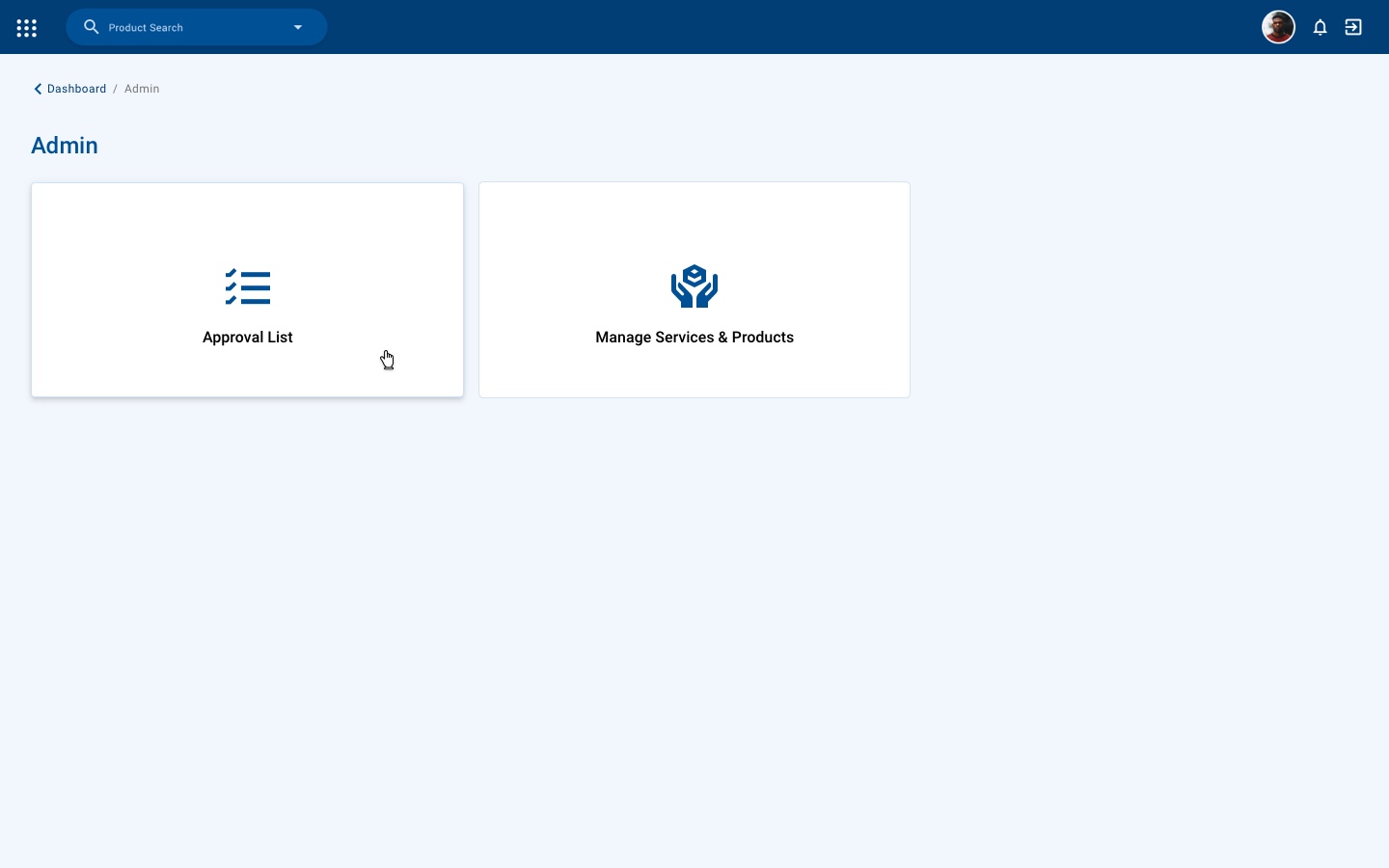
Two clear jobs
Approvers land on just two options: the Approval List, and Manage Services & Products.
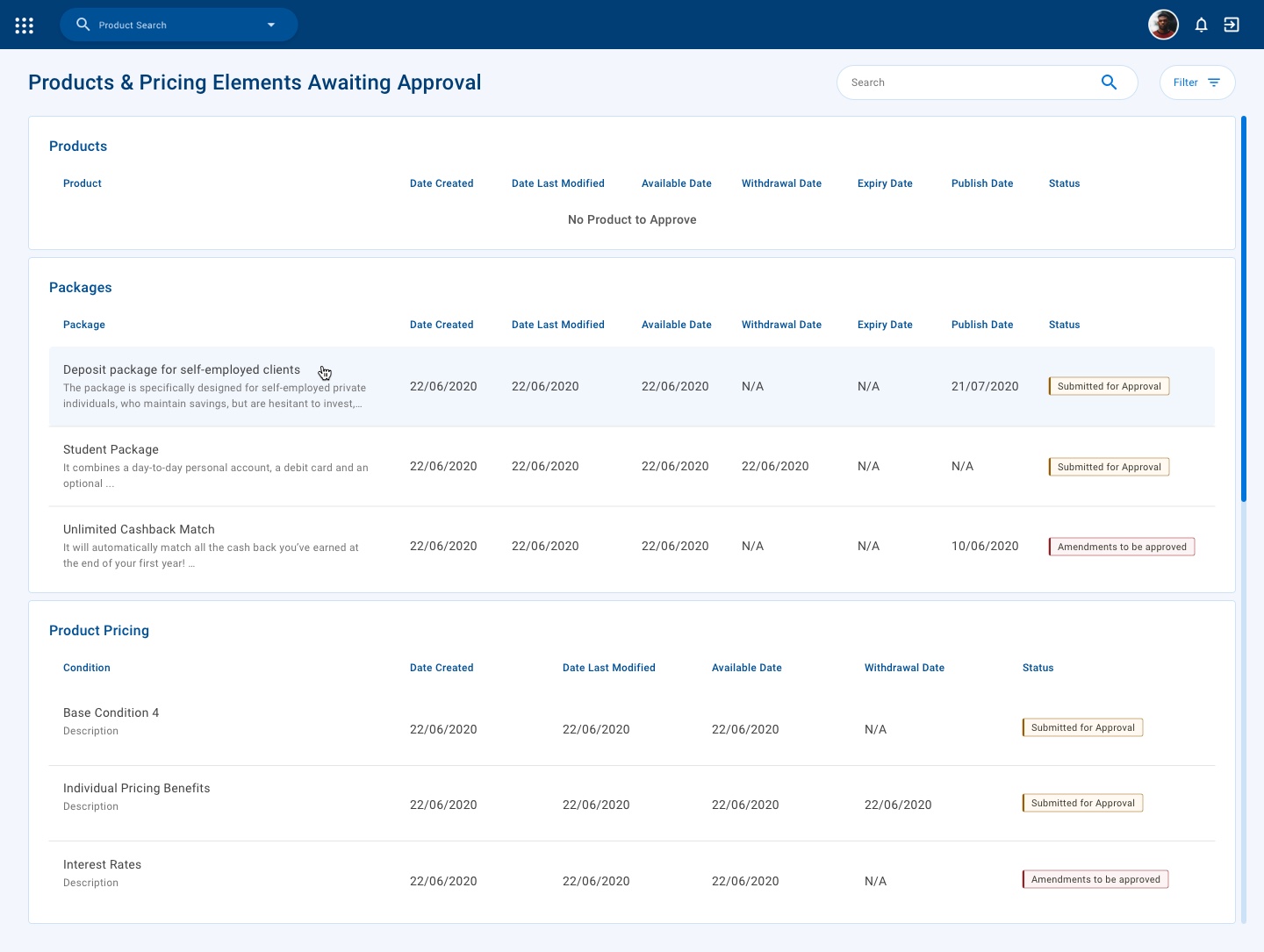
Everything awaiting approval, in one place
Fixes slow, opaque approvals. Products, packages and pricing are listed separately with their key dates, and status tags tell new submissions apart from amendments.
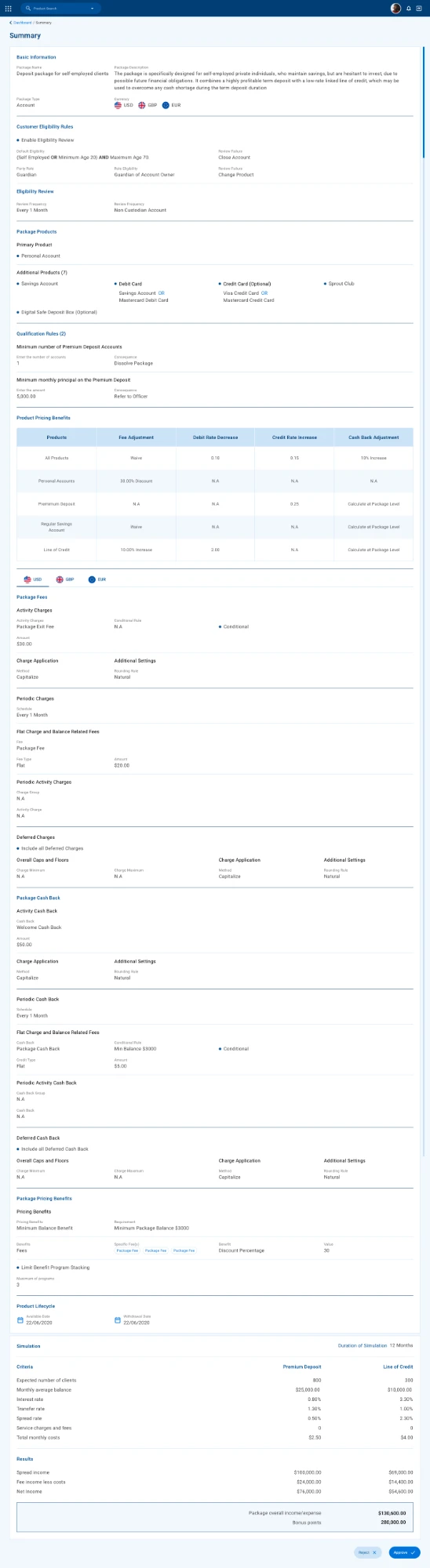
Review the full package, with a forecast
The approver sees every rule, fee, cash-back and pricing benefit, plus a 12-month simulation of expected clients, income and bonus points, before approving or rejecting. Scroll inside the frame to see it all.
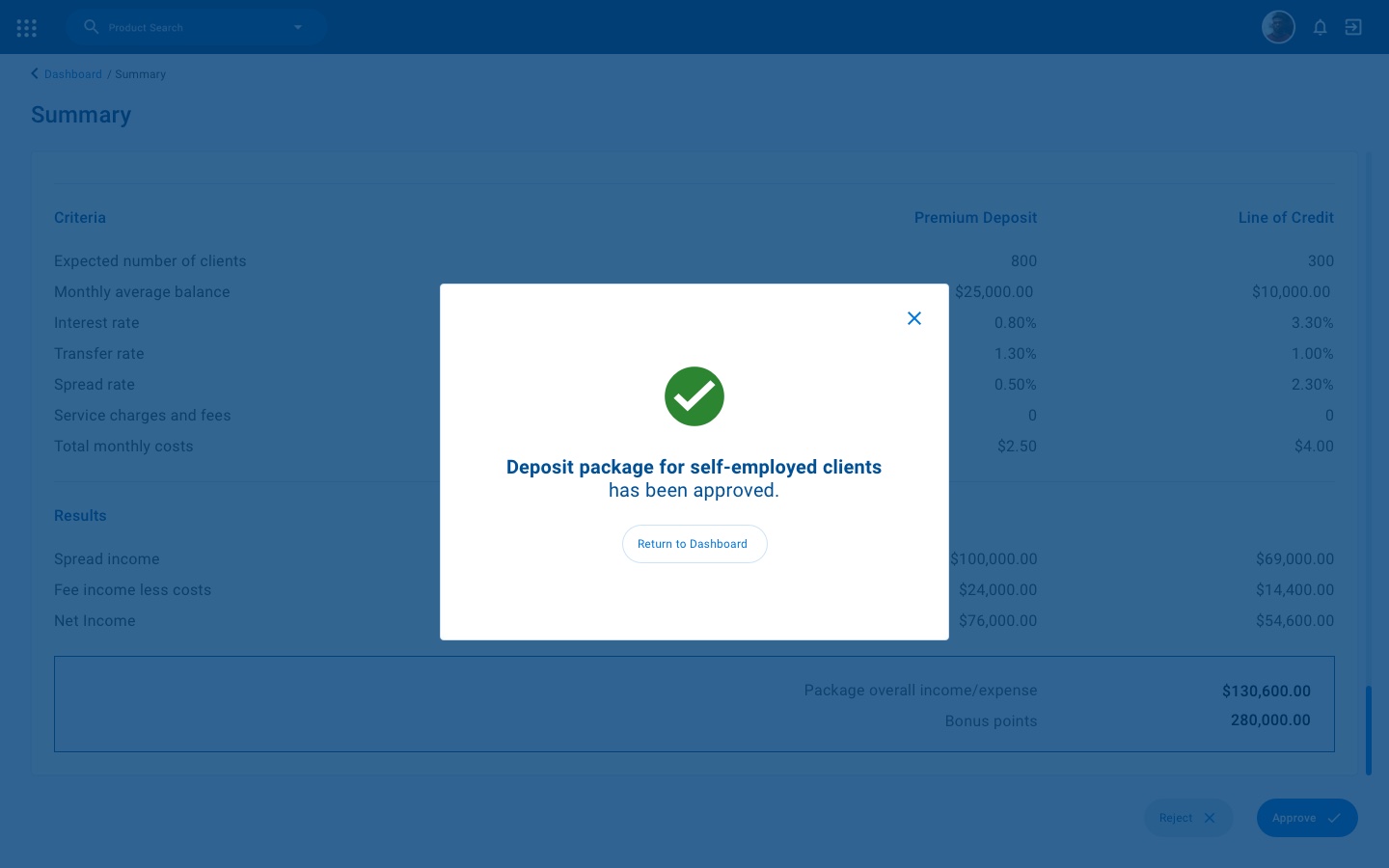
Instant confirmation
Approving shows a clear confirmation over the summary, so the decision is never in doubt.
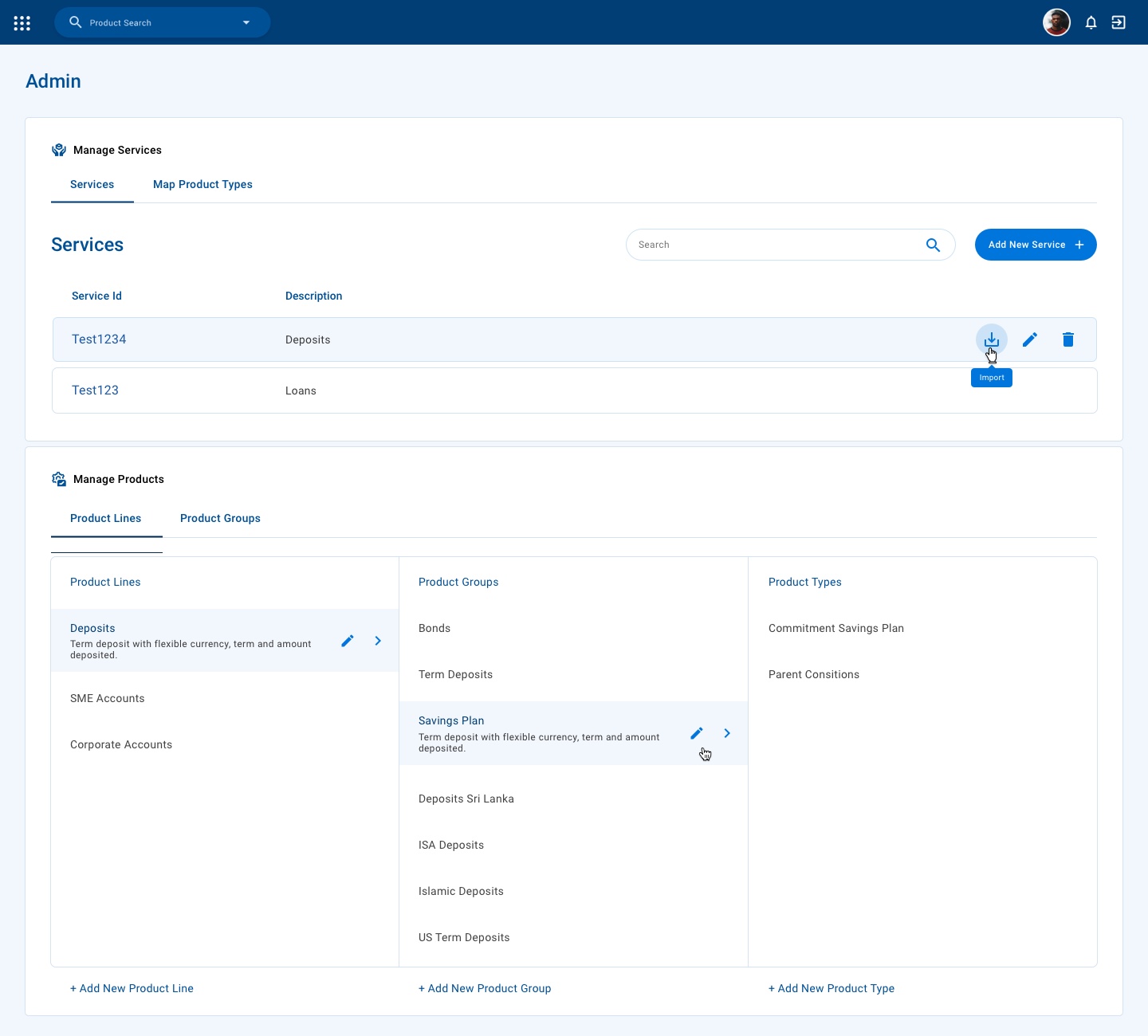
Shape the product hierarchy
Admins manage services and map them to product types, and organise product lines, groups and types in a three-column browser that designers then build on.